EasyManua.ls Logo

Asus E3746 - Sata 1-6; Landing Zone

Asus E3746
196 pages
Print Icon
To Next Page IconTo Next Page
To Previous Page IconTo Previous Page
Loading...
ROG Striker II Extreme / Striker II NSE 4-23
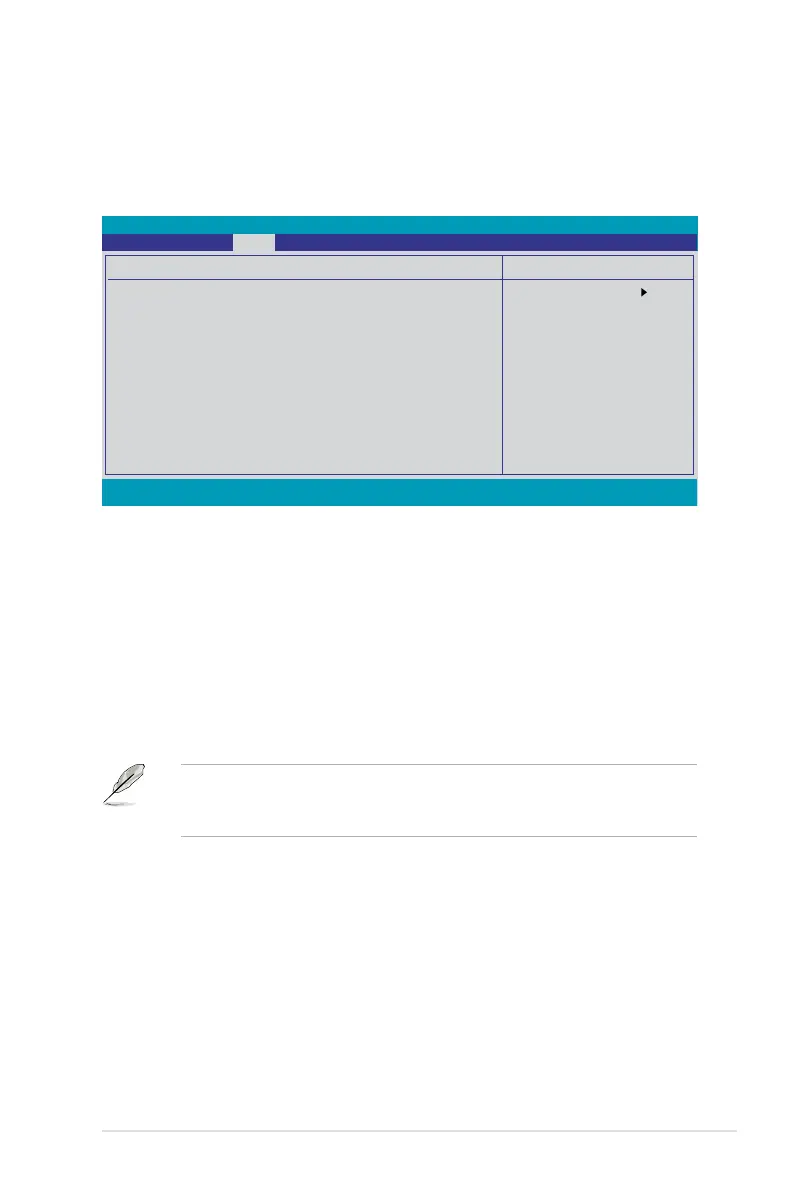
4.4.6 SATA 16
While entering Setup, the BIOS automatically detects the presence of Serial ATA
devices. There is a separate sub-menu for each SATA device. Select a device item
then press <Enter> to display the SATA device information.
The BIOS automatically detects the values opposite the dimmed items
(Capacity, Cylinder, Head, Landing Zone and Sector). These values are not user-

Extended IDE Drive [Auto]


Access Mode [Auto]




Capacity

Cylinder

Head

Landing Zone

Select Menu
Item Specic Help
Selects the type of
xed disk connected to
the system.
F1:Help ↑↓ : Select Item -/+: Change Value F5: Setup Defaults
ESC: Exit →←: Select Menu Enter: Select SubMenu F10: Save and Exit
SATA 1
Extended IDE Drive [Auto]
Access Mode [Auto]
Capacity 0 MB
Cylinder 0
Head 0
Landing Zone 0
Sector 0
Phoenix-AwardBIOS CMOS Setup Utility
Main


Table of Contents

Related product manuals