2-34 Chapter 2: Hardware information
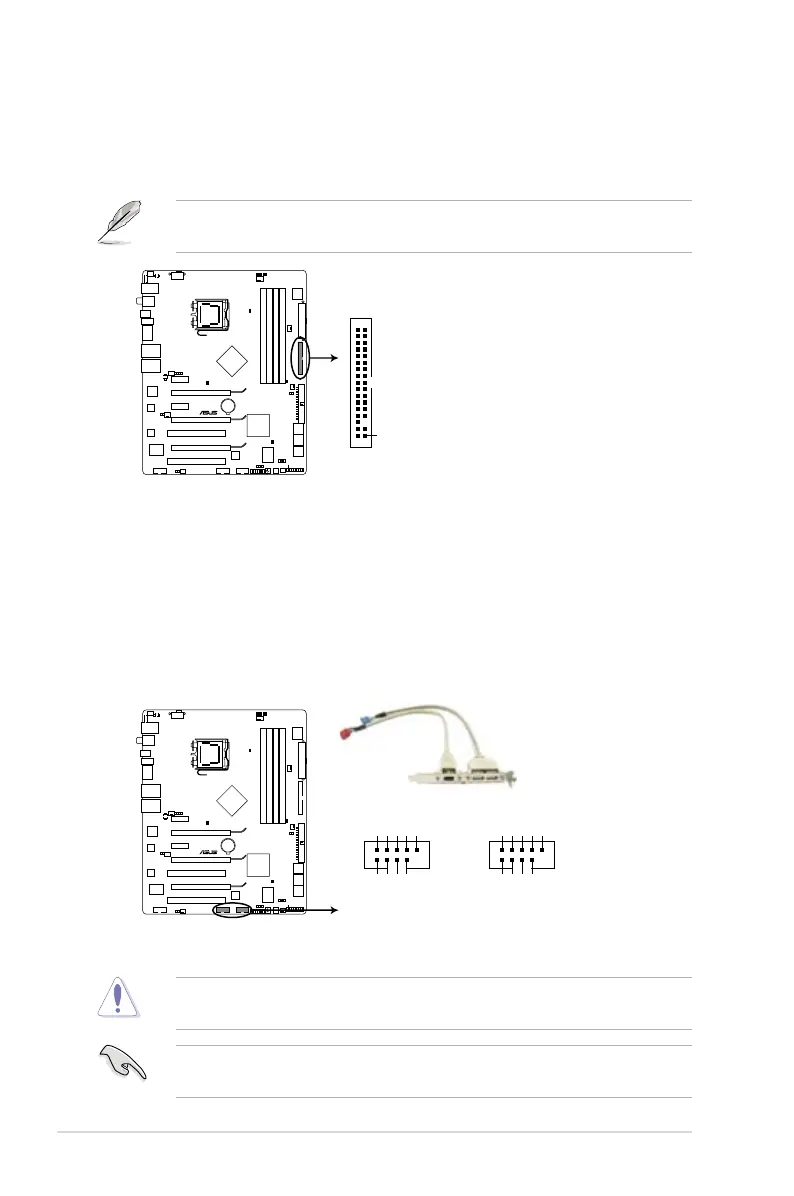
4. USB connectors (10-1 pin USB 78; USB 910)
These connectors are for USB 2.0 ports. Connect the USB module cable
to any of these connectors, then install the module to a slot opening at the
back of the system chassis. These USB connectors comply with USB 2.0
Never connect a 1394 cable to the USB connectors. Doing so will damage the
motherboard!
then install the Q-Connector (USB) to the USB connector onboard.
3. Floppy disk drive connector (34-1 pin FLOPPY)
one end of the cable to this connector, then connect the other end to the
Pin 5 on the connector is removed to prevent incorrect cable connection when
using a FDD cable with a covered Pin 5.
STRIKER II EXTREME
FLOPPY
NOTE:Orient the red markings
on the floppy ribbon cable to PIN 1.
PIN1
STRIKER II EXTREME/
STRIKER II NSE Floppy disk drive connector
STRIKER II EXTREME
PIN 1
USB+5V
USB_P8-
USB_P8+
GND
NC
USB+5V
USB_P7-
USB_P7+
GND
USB78
PIN 1
USB+5V
USB_P10-
USB_P10+
GND
NC
USB+5V
USB_P9-
USB_P9+
GND
USB910
STRIKER II EXTREME/
STRIKER II NSE USB2.0 connectors



 To Next Page