4-12 Chapter 4: BIOS setup
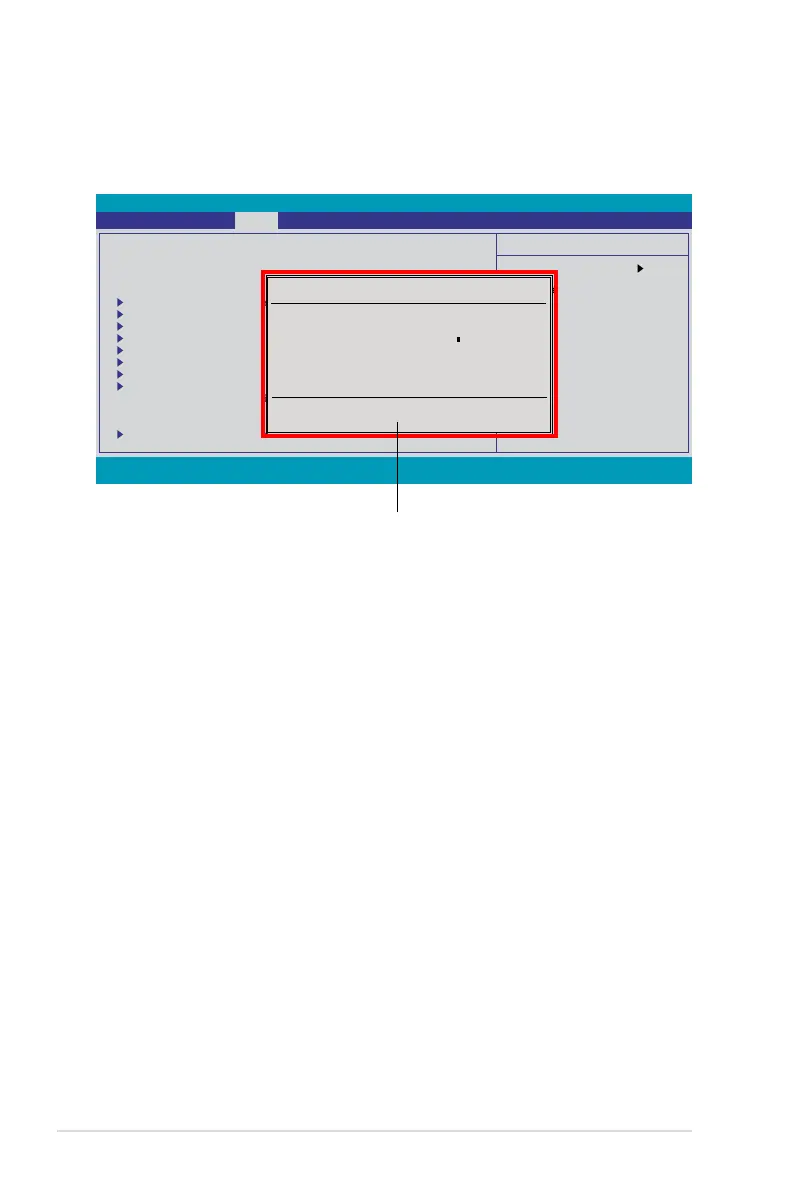
4.2.7 Pop-up window
Select a menu item then press <Enter> to display a pop-up window with the
4.2.8 General help
At the top right corner of the menu screen is a brief description of the selected
item.
Pop-up menu
Select Menu
Item Specic Help
Change the internal
time.
F1:Help ↑↓ : Select Item -/+: Change Value F5: Setup Defaults
ESC: Exit →←: Select Menu Enter: Select SubMenu F10: Save and Exit
System Time 15 : 30 : 36
System Date Thu, Oct 30 2007
Language [English]
Legacy Diskette A: [1.44M, 3.5 in.]
Primary IDE Master [None]
Primary IDE Slave [None]
SATA 1 [None]
SATA 2 [None]
SATA 3 [None]
SATA 4 [None]
SATA 5 [None]
SATA 6 [None]
HDD SMART Monitoring [Disabled]
Installed Memory 1024MB
Usable Memory 1023MB
System Information
Legacy Diskette A:
Disabled ..... [ ]
720K , 3.5 in. ..... [ ]
1.44M, 3.5 in. ..... [ ]
↑↓ :Move ENTER:Accept ESC:Abort
Phoenix-AwardBIOS CMOS Setup Utility
Extreme Tweaker Main Advanced Power Boot Tools Exit



 To Next Page