6-6 Chapter 6: NVIDIA
®
SLI™ technology support
• Make sure that your PCI Express graphics card driver supports the NVIDIA
®
SLI™ technology. Download the latest driver from the NVIDIA website
(www.nvidia.com).
• If you are using s 3-way SLI system, make sure to install the 3-way SLI
driver under Windows
®
Vista™ OS. The NVIDIA 3-way SLI technology is
supported by Windows
®
Vista™ only.
6.2.3 Installing the device drivers
Refer to the documentation that came with your graphics card package to install
the device drivers.
6.2.4 Enabling the NVIDIA
®
SLI™ technology in Windows
®
After installing your graphics cards and the device drivers, enable the SLI feature
in NVIDIA
®
Control Panel under the Windows
®
Vista™ operating system.
Launching the NVIDIA Control Panel
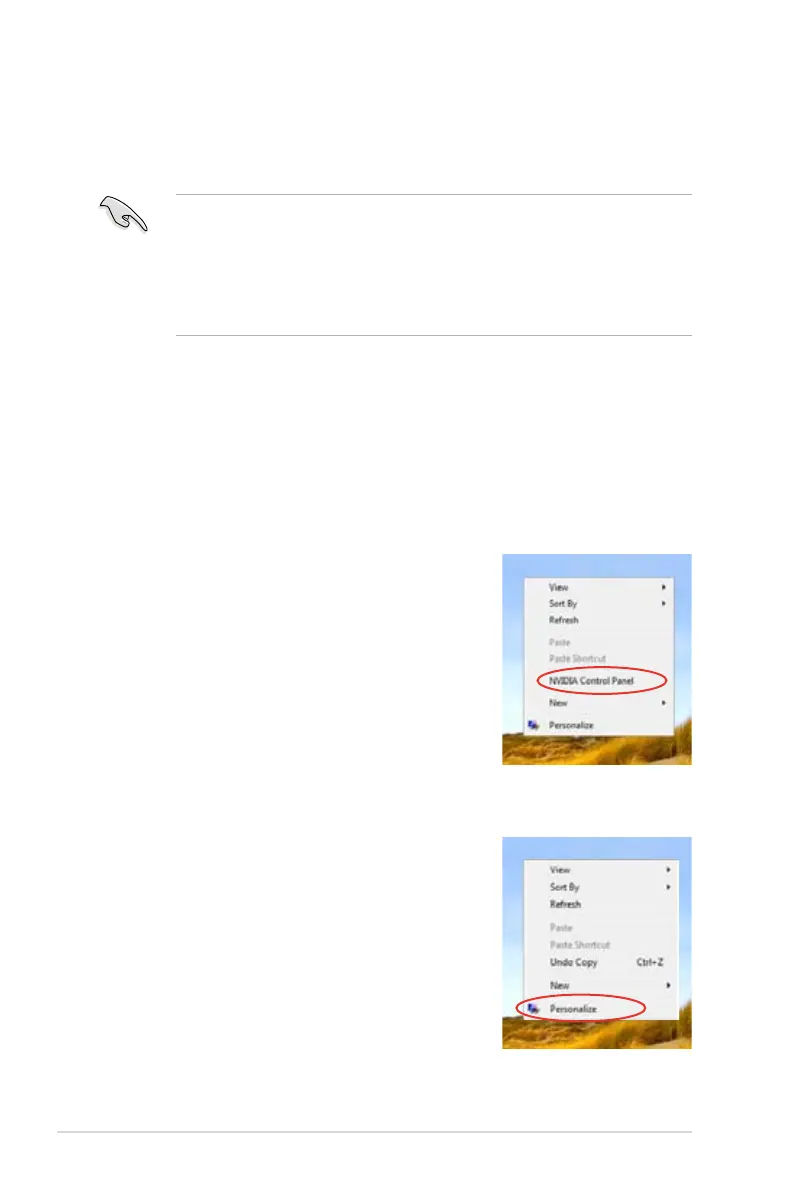
You can launch the NVIDIA Control Panel by the following two methods.
(a) Right click on the empty space of the Windows
®
desktop and select
NVIDIA Control Panel
.
(b)
If you cannot see the NVIDIA Control Panel item
in step (a), select
Personalize
.


 To Next Page