ROG Striker II Extreme / Striker II NSE 4-21
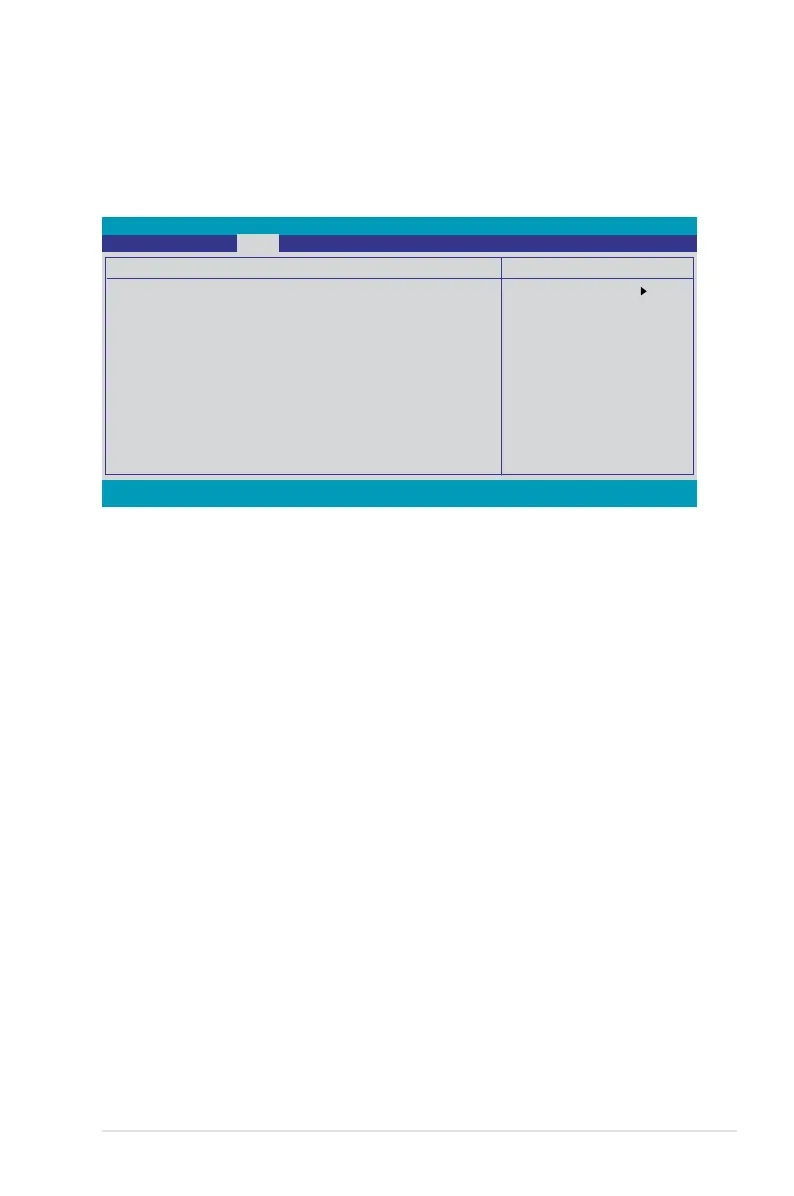
4.4.5 Primary IDE Master/Slave
While entering Setup, the BIOS automatically detects the presence of IDE devices.
There is a separate sub-menu for each IDE device. Select a device item then
press <Enter> to display the device information.
The BIOS automatically detects the values opposite the dimmed items
(Capacity, Cylinder, Head, Sector and Transfer Mode). These values are not
system.
PIO Mode [Auto]
Sets the PIO mode for the IDE device.
UDMA Mode [Auto]
Primary IDE Master/Slave [Auto]
Select [Auto] to automatically detect an IDE hard disk drive. If automatic detection
system, the setup BIOS may detect incorrect parameters. Select [Manual] to
manually enter the IDE hard disk drive parameters. If no drive is installed select
Select Menu
Item Specic Help
Set a PIO mode for the
IDE device. Mode0
through 4 successive
increase in
performance.
F1:Help ↑↓ : Select Item -/+: Change Value F5: Setup Defaults
ESC: Exit →←: Select Menu Enter: Select SubMenu F10: Save and Exit
Primary IDE Master
PIO Mode [Auto]
UDMA Mode [Auto]
Primary IDE Master [Auto]
Access Mode [Auto]
Capacity 0 MB
Cylinder 0
Head 0
Sector 0
Transfer Mode None
Phoenix-AwardBIOS CMOS Setup Utility
Main



 To Next Page