4-4 Chapter 4: BIOS setup
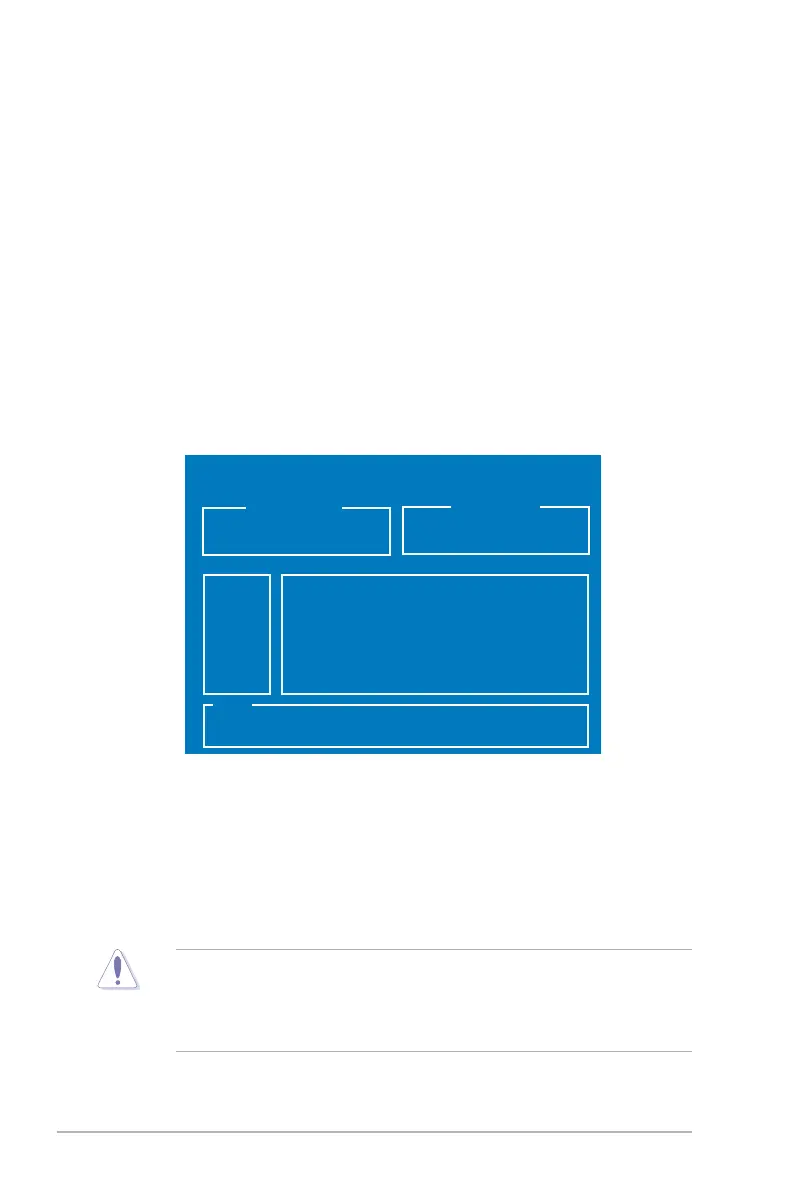
To update the BIOS using EZ Flash 2:
the motherboard.
3. You can launch the EZ Flash 2 by two methods.
Press <Alt> + <F2> during POST to display the following.
4.1.2 ASUS EZ Flash 2 utility
The ASUS EZ Flash 2 feature allows you to update the BIOS without having to
go through the long process of using a DOS-based utility. The EZ Flash 2 utility
is built-in the BIOS chip so it is accessible by pressing <Alt> + <F2> during the
Power-On Self Tests (POST).
(2) Enter BIOS setup program. Go to the Tools menu to select EZ Flash2
and press <Enter> to enable it.
is found. Then press <Enter>.
ASUSTek EZ Flash 2 BIOS ROM Utility B327
FLASH TYPE: Winbond W39V080A 8Mb LPC
BOARD: STRIKER II EXTREME
VER: 0106
DATE: 01/18/2008
Current ROM
Update ROM
BOARD: Unknown
VER: Unknown
DATE: Unknown
PATH: A:\
A:
Note
[Enter] Select [S] Save [ESC] Exit
[Tab] Switch [Up/Down/Home/End] Move
with
FAT 32/16/12 format only.
• Do not shut down or reset the system while updating the BIOS to prevent
system boot failure!
process and automatically reboots the system when done.



 To Next Page