ROG Striker II Extreme / Striker II NSE 4-15
FSB-Memory Clock
Mode to [Unlinked].
Allows you to adjust memory frequency. Use the <+> and <-> keys to adjust
the frequency. You can also type the desired frequency using the numeric
keypad. The values range from 800 to 3000.
Due to NVIDIA
®
chipset features, ASUS BIOS will automatically adjust your
assigned frequency to an approximate value to achieve the optimal results.
Actual MEM (DDR), MHz
LDT Frequency [5x]
PCIE Bus, Slot 1 & 2, MHz [100]
Allows you to set the PCIEX16_1/2 overclocking frequency. Use the <+> and
<-> keys to adjust the frequency. The values range from 100 to 200.
PCIE Bus, Slot 3, MHz [100]
Allows you to set the PCIEX16_3 overclocking frequency. Use the <+> and
<-> keys to adjust the frequency. The values range from 100 to 200.
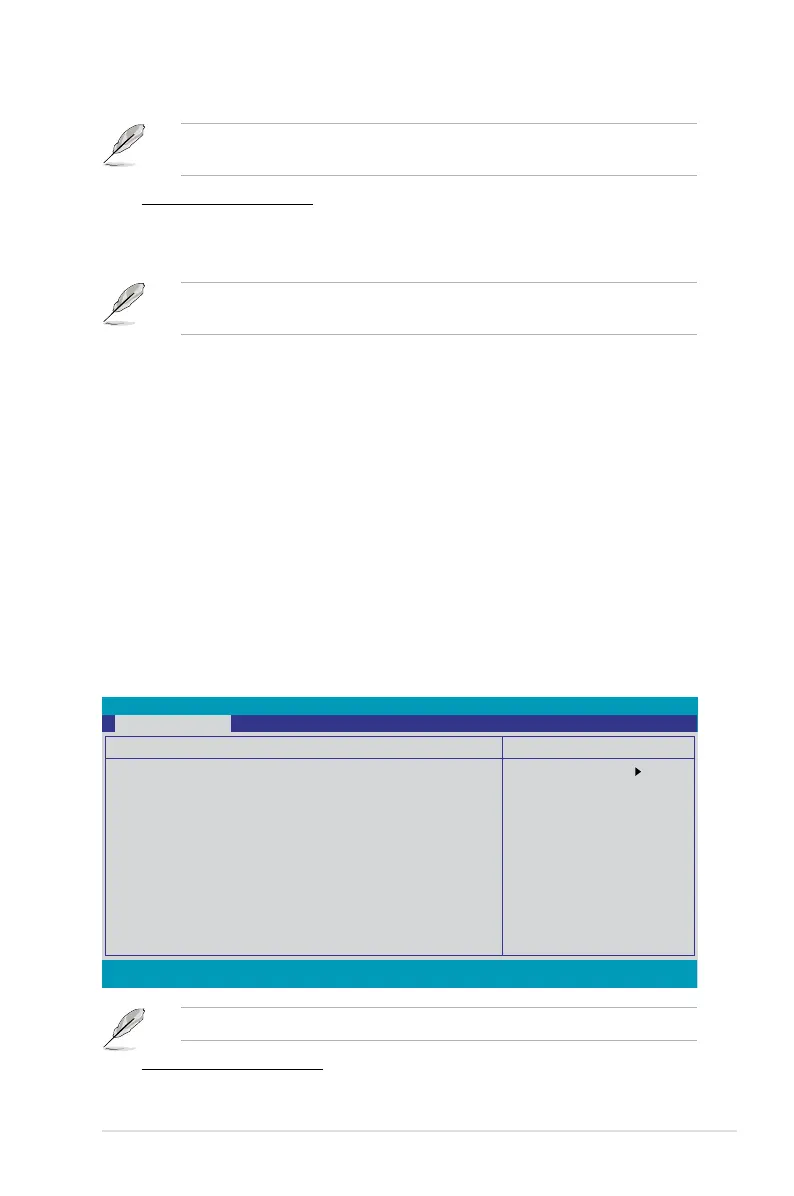
Memory Timing Setting
tCL (CAS Latency) [Auto]
Select Menu
Item Specic Help
CAS# latency (CAS# to
read data valid)
Set Memory timings
to [Optimal] to use
the value recommended
by the DIMM’s
manufacturer.
Phoenix-AwardBIOS CMOS Setup Utility
Extreme Tweaker
F1:Help ↑↓ : Select Item -/+: Change Value F5: Setup Defaults
ESC: Exit →←: Select Menu Enter: Select SubMenu F10: Save and Exit
Memory Timing Setting
Parameters Setting Current
tCL (CAS Latency) [Auto] 6
tRCD [Auto] 6
tRP [Auto] 6
tRAS [Auto] 15
Command Per Clock (CMD) [Auto] 2T
** Advanced Memory Settings **
tRRD [Auto] 4
tRC [Auto] 21
tWR [Auto] 7
tWTR [Auto] 13
tFAW [Auto] 17
tREF [Auto] 7.6uS



 To Next Page