2-28 Chapter 2: Hardware information
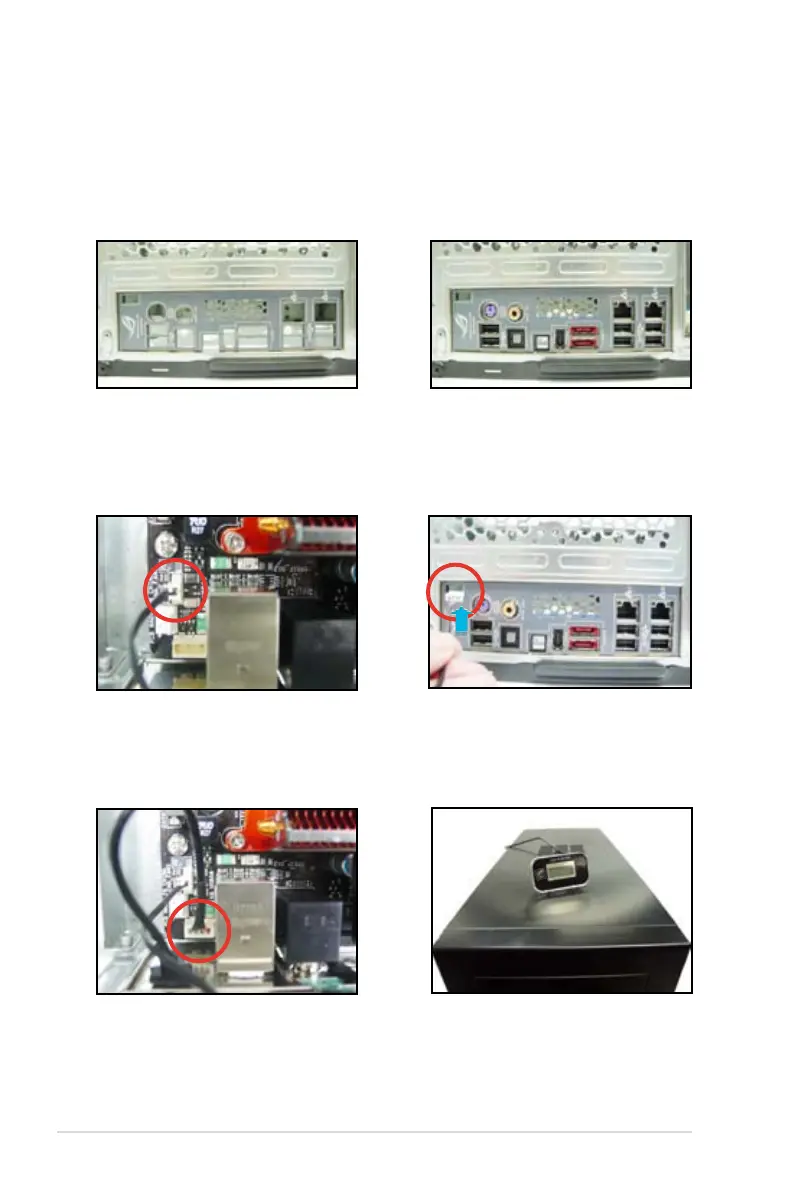
2.7.2 EL I/O shield and LCD Poster Installation
1. Install the EL I/O shield to the
chassis by snaping it in place from
inside.
3. Locate the
EL_CON
connector
and connect the shield cable to the
connector in a correct orientation.
2. Orient the motherboard and install
it to the chassis. Make sure that the
I/O openings.
4. Thread the LCD Poster cable
through the back I/O shield opening
5. Locate and connect the LCD
Poster cable to the
LCD_CON
connector.
6. Place the LCD Poster on the
chassis or to wherever you like.



 To Next Page