EasyManua.ls Logo

Asus E3746 - Save BIOS Profile

Asus E3746
196 pages
Print Icon
To Next Page IconTo Next Page
To Previous Page IconTo Previous Page
Loading...
ROG Striker II Extreme / Striker II NSE 4-43
Load from File



 
2. Turn on the system.
3. Enter BIOS setup program. Go to the “Tools” menu to select “Load from
File.” Press <Enter> then the setup screen will appear.
 

 
 

 
Save BIOS Prole
Save to Profle 1/2


Save to File



1. Insert the storage devices with enough space.
2. Turn on the system.
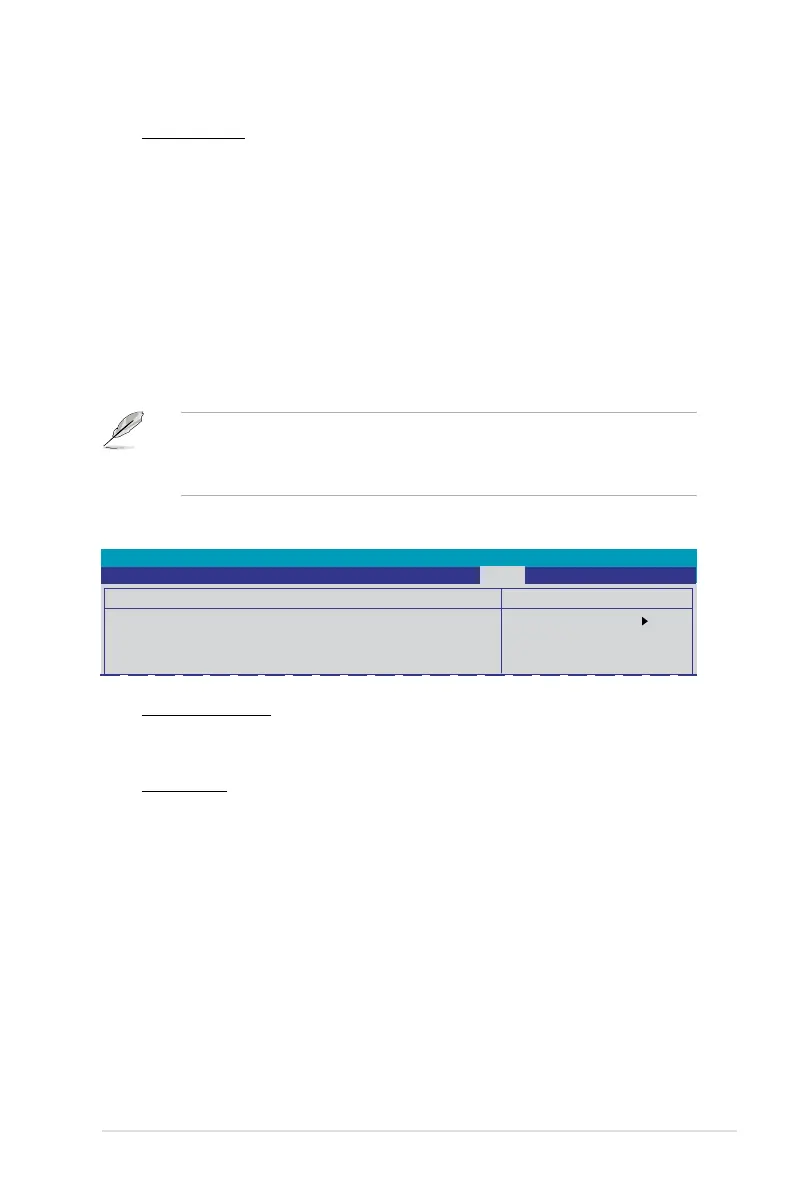
3. Enter the BIOS setup program. Go to the “Tools” menu to select “Save to
File.” Press <Enter> then the setup screen will appear.
4. Press <Tab> to switch between the drives. Press hot-key <S> to save

 
 
Select Menu
Item Specic Help
Save current BIOS
Prole to Prole 1.
Phoenix-AwardBIOS CMOS Setup Utility
Main Extreme Tweaker Advanced Power Boot Tools Exit
Save BIOS Prole
Save to Prole 1
Save to Prole 2
Save to File

Table of Contents