ROG Striker II Extreme / Striker II NSE
2-33
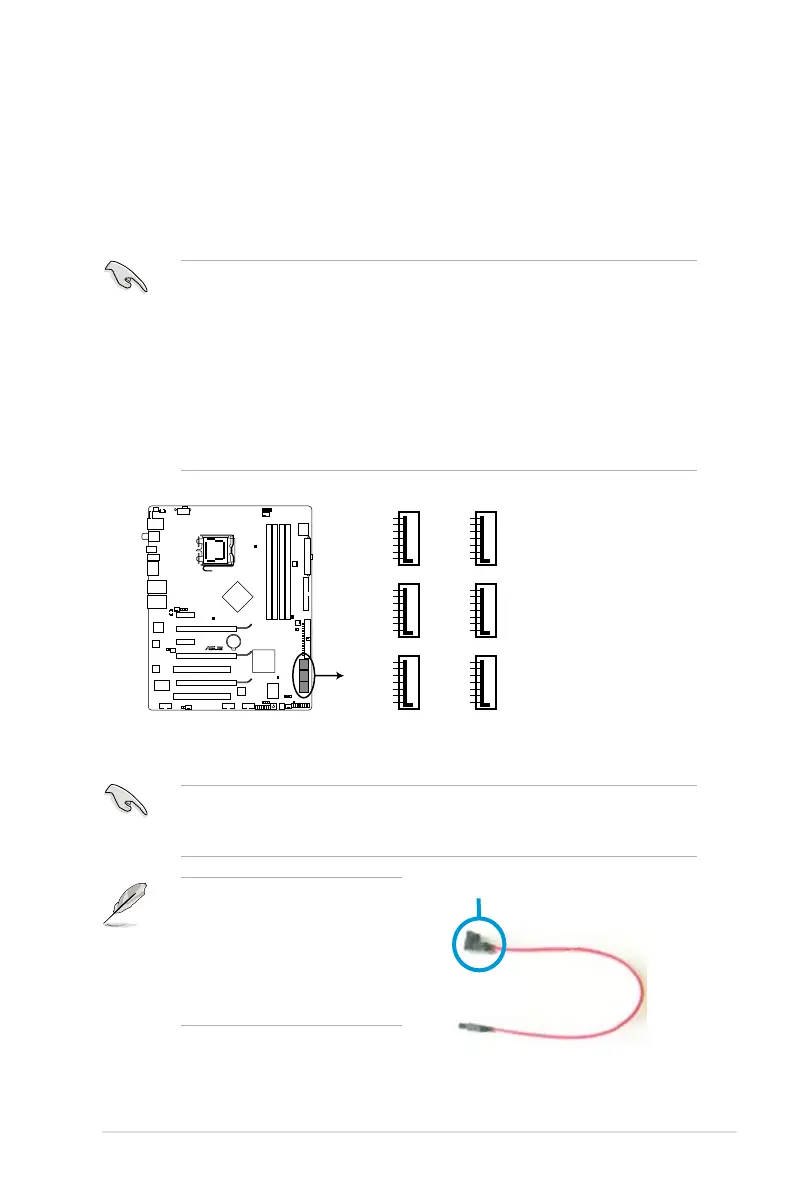
2. Serial ATA connectors (7-pin SATA1–6)
These connectors are for the Serial ATA signal cables for Serial ATA hard disk
drives.
If you installed Serial ATA hard disk drives, you can create a RAID 0, RAID 1,
®
MediaShield™
RAID controller.
• In Standard IDE mode, you can connect Serial ATA boot/data hard disk
drives to these connectors. If you intend to create a Serial ATA RAID set
using these connectors, enable the [RAID Enabled] item in the BIOS. See
section 4.5.6 Serial-ATA Conguration for details.
• For RAID 5, use at least three hard disk drives. For RAID 0+1, use at least
four hard disk drives. Use two to four Serial ATA hard disk drives for each
RAID 0 or RAID 1 set.
• Before creating a RAID set, refer to 5.4.2 NVIDIA
®
RAID congurations or
the manual bundled in the motherboard support DVD.
Connect the right-angle side
of SATA signal cable to SATA
device. Or you may connect the
right-angle side of SATA cable to
the onboard SATA port to avoid
graphics cards.
right angle side
You must install the Windows
®
XP Service Pack 1 before using Serial ATA hard
disk drives. The Serial ATA RAID feature (RAID 0/RAID 1/RAID 5/RAID 10) is
available only if you are using Windows
®
XP or later version.
STRIKER II EXTREME
GND
RSATA_TXP1
RSATA_TXN1
GND
RSATA_RXP1
RSATA_RXN1
GND
SATA1
GND
RSATA_TXP2
RSATA_TXN2
GND
RSATA_RXP2
RSATA_RXN2
GND
SATA2
GND
RSATA_TXP3
RSATA_TXN3
GND
RSATA_RXP3
RSATA_RXN3
GND
SATA3
GND
RSATA_TXP4
RSATA_TXN4
GND
RSATA_RXP4
RSATA_RXN4
GND
SATA4
GND
RSATA_TXP5
RSATA_TXN5
GND
RSATA_RXP5
RSATA_RXN5
GND
SATA5
GND
RSATA_TXP6
RSATA_TXN6
GND
RSATA_RXP6
RSATA_RXN6
GND
SATA6
STRIKER II EXTREME/
STRIKER II NSE SATA connector



 To Next Page