ROG Striker II Extreme / Striker II NSE 5-15
More Settings
Click
Equalizer
Allows you to
the DSP presets
frequencies.
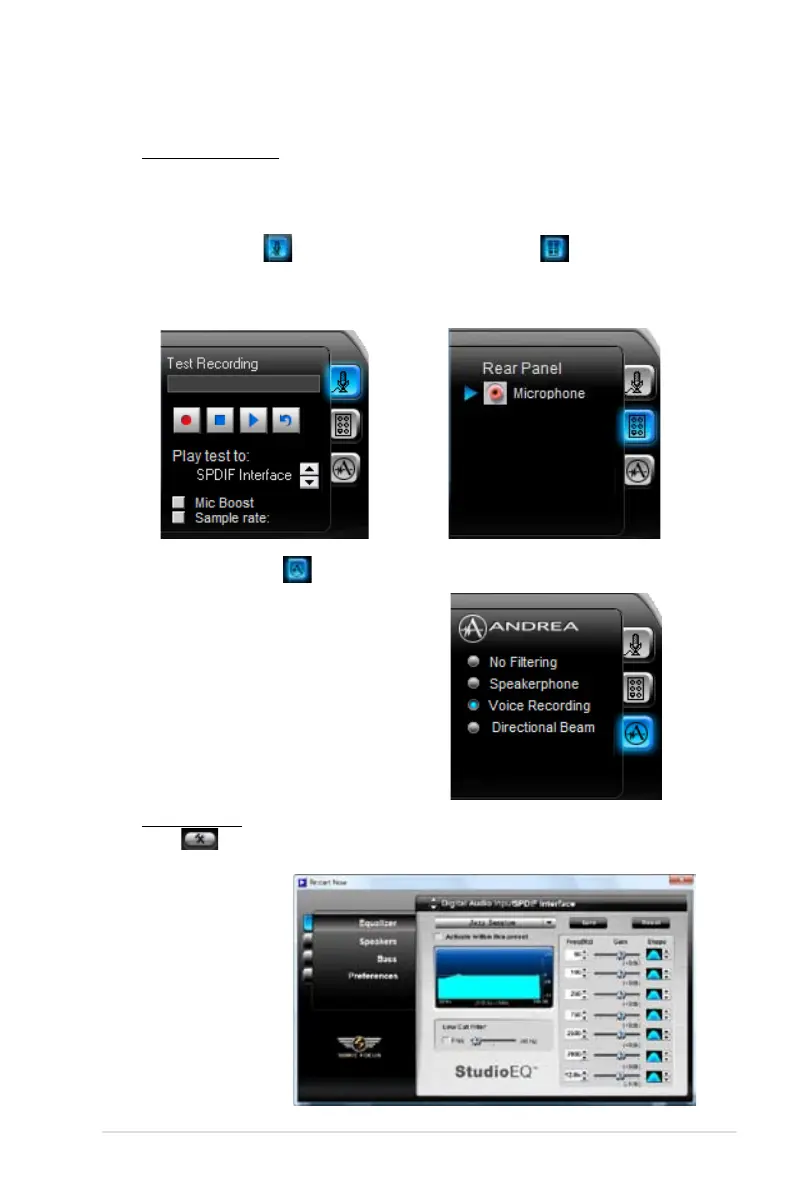
Recording Settings
To change the recording settings, click the Recording button on the control
panel. You can adjust the speaker delay of Microphone or Line In by moving
the slider rightward or leftward.
Port settings
Click the tab to display the rear panel
ports for Microphone or Line In.
ANDREA settings
Allows you to select an enhanced
microphone input features, including
No Filtering, Speakerphone, Voice
Recording, and Directional Beam.
Record testing
Click the tab to perform test recording
and play the test sample through the
speakers or the SPDIF interface.


 To Next Page