5-40 Chapter 5: Software support
A new set of navigation keys is displayed on the bottom of the screen.
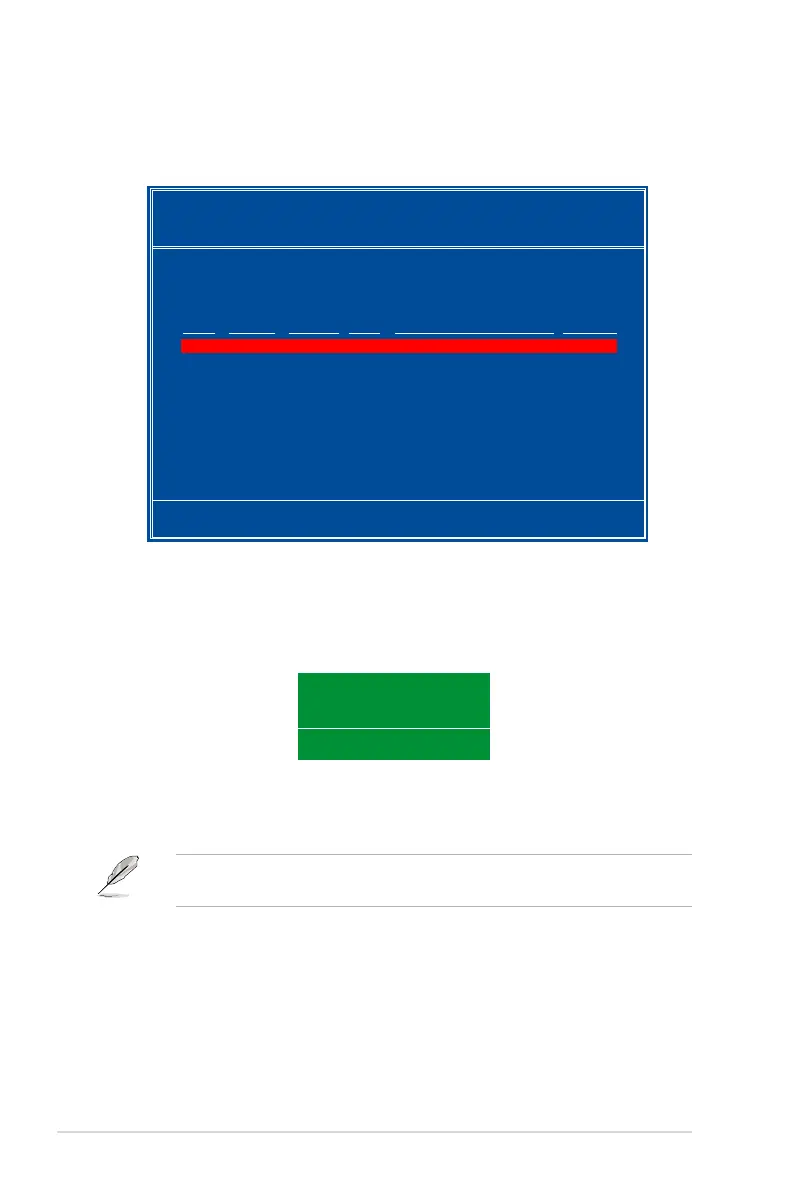
2. Press <R> to rebuild a RAID array. The following screen appears.
3. Use the up or down arrow keys to select a RAID array to rebuild, then press
[↑↓] Select [F6] Back [F7] Finish
Array 1 : NVIDIA MIRROR XXX.XXG
- Select Disk Inside Array -
RAID Mode: Mirroring
Striping Width: 1 Striping Block: 64K
Adapt Channel M/S Index Disk Model Name Capacity
2 1 Master 0 XXXXXXXXXXXXXXXXX XXX.XXGB
1 0 Master 1 XXXXXXXXXXXXXXXXX XXX.XXGB
Rebuild array?
[ENTER] OK [ESC] Cancel
4. Press <Enter> to start rebuilding array or press <Esc> to cancel.
5. After the rebuild process, the Array list menu appears.
You will need to enter Window
®
XP and run the NVIDIA utility in order to
complete the rebuilt process.



 To Next Page