Chapter 2: Hardware Setup
2-6
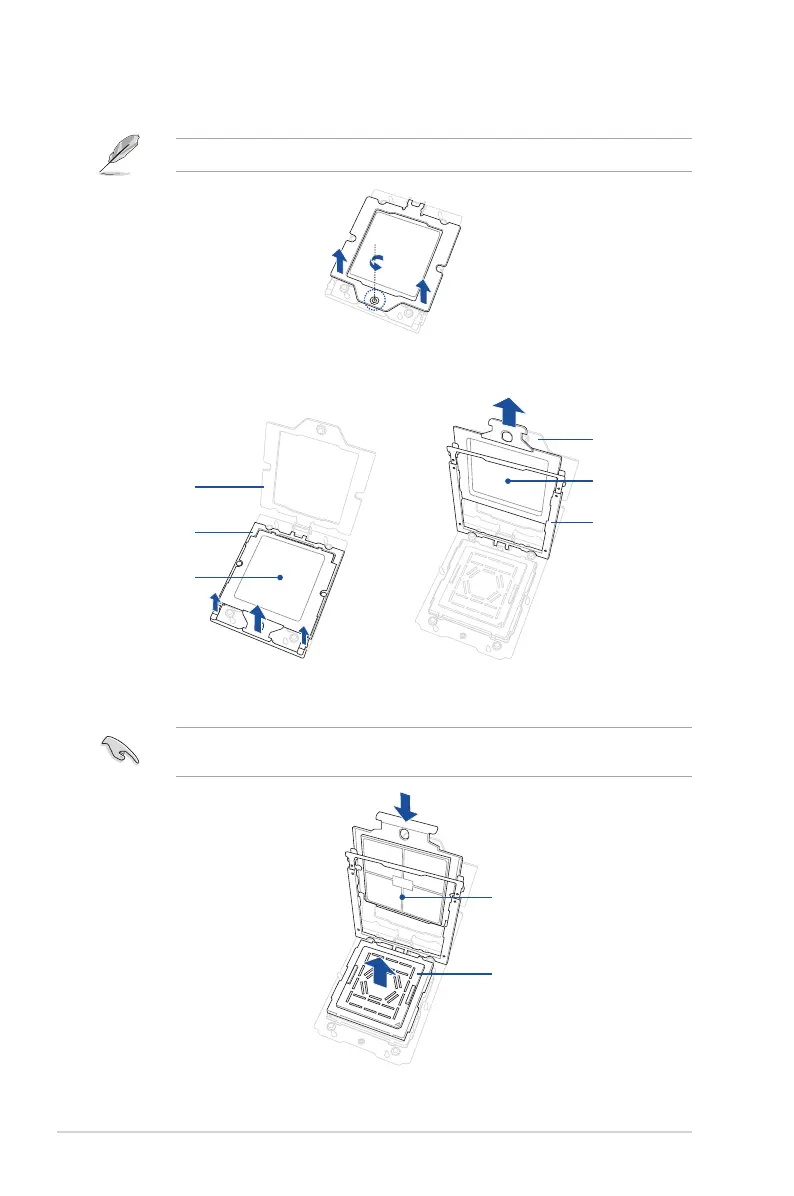
4. Loosen the screw on the socket to open the load plate.
A T20 screwdriver with a torque value of 13.5±1.0 kgf-cm is recommended.
5. Lift open the rail frame, then slide the external cap out of the rail frame.
6. Slide the carrier frame with CPU into the rail frame, then remove the PnP cap.
The carrier frame with CPU fits in only one correct orientation. DO NOT force the carrier
frame with CPU into the rail frame.
External cap
Load plate
Rail frame
External cap
Load plate
Rail frame
PnP cap
Carrier plate with CPU














 To Next Page