Chapter 2: Hardware Setup
2-24
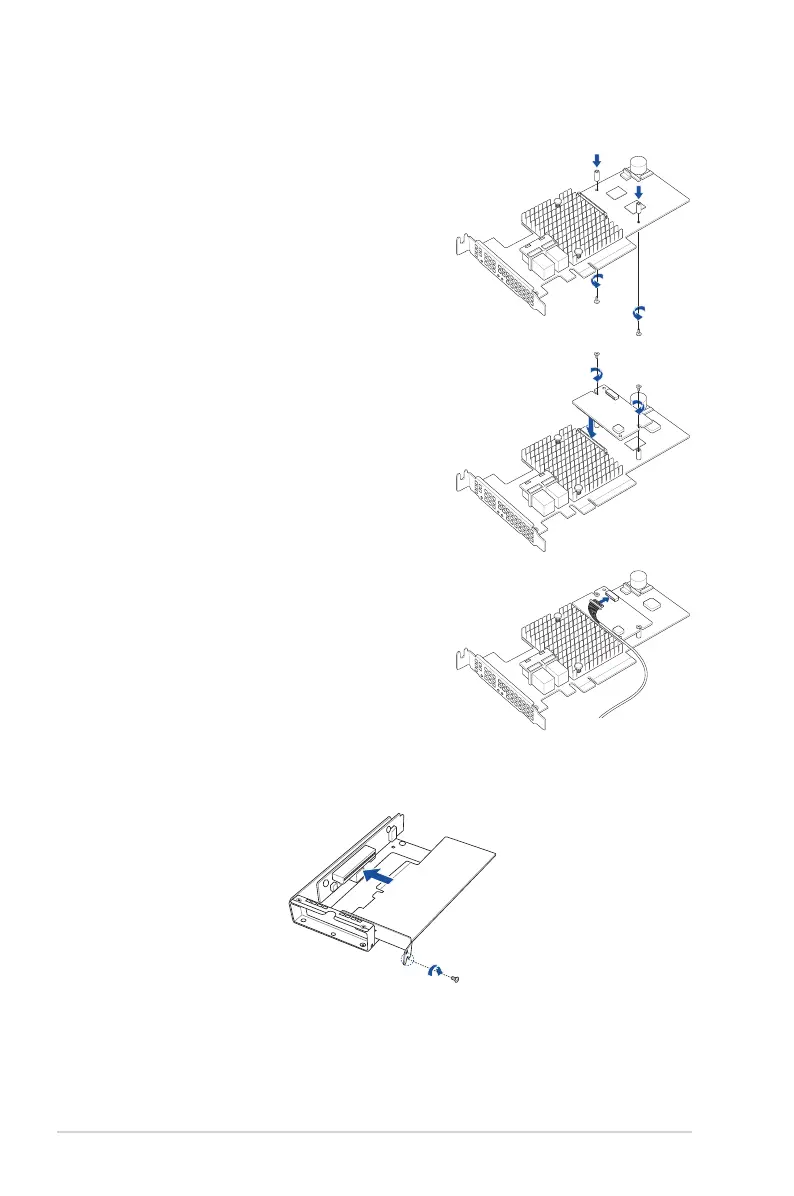
8. Insert the PIKE II or RAID card into the internal bracket, then secure it using the screw
you removed earlier.
7. (Optional) To install an ASUS PIKE II 3108 RAID card and cache vault, follow the
below instructions to install the cache vault add-on card:
b. Align and install the bundled cache
vault add-on card onto the connector
on the ASUS PIKE II card, then
secure it to the two spacers with
two screws.
c. Connect the bundled power cable
to the cache vault add-on card.
a. Align the two spacers with the
screw holes on the ASUS PIKE II
card, then secure the two spacers
with two screws from the bottom of
the card.














 To Next Page