Telephone operation
44
Volume control
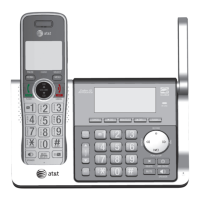
Using a cordless handset:
You can set the listening volume to one of six levels.
While on a call, press T
CID/VOLUME to decrease or
press S
DIR/VOLUME to increase the listening volume.
Using the telephone base:
You can set the listening volume to one of eight
levels.
While on a call, press T/VOLUME to decrease or
VOLUME/S to increase the listening volume.
Notes:
f Handset and speakerphone volume settings are independent.
f When the volume reaches the minimum or maximum setting, you hear two beeps.
Call waiting
If you subscribe to call waiting service from your telephone service provider,
and someone calls while you are already on a call, you hear two beeps.
f Press
PHONE/FLASH on the handset or PTT/FLASH on the telephone base
to put your current call on hold and take the new call.
f Press
PHONE/FLASH on your handset or PTT/FLASH on your telephone
base at any time to switch back and forth between calls.
Note: Missed call waiting calls are not counted as missed calls.
Options while on calls


 To Next Page
 Loading...