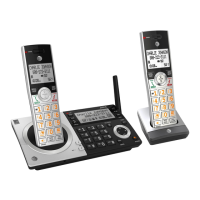
Getting started
1
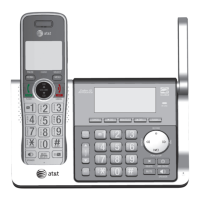
Quick reference guide - handset
CHARGE light
f On when the handset is charging in the
telephone base or charger.
PUSH TO TALK
f Press to initiate a one-to-one (page 59)
or one-to-group broadcast (page 61).
f Press and hold to broadcast to a group
of system devices (page 61).
REDIAL/PAUSE
f Press repeatedly to view the last ten
numbers dialed (page 44).
f While entering numbers, press and
hold to insert a dialing pause (page 67).
MENU/SELECT
f When the handset is not in use, press
to show the menu.
f While in the menu, press to select an
item or save an entry or setting.
PHONE/FLASH
f Press to make or answer a call (page 42).
f During a call, press to answer an
incoming call when you receive a call
waiting alert (page 47).
f During message playback, press to call
back the caller if the caller’s number is
available (page 127).
OFF/CANCEL
f During a call, press to hang up (page 43).
f While in a menu, press to cancel an
operation, back up to the previous menu,
or exit the menu display; or press and
hold this button to exit to idle mode.
f When the handset is ringing, press to
mute the ringer temporarily (page 43).
f Press and hold while the telephone is not
in use to erase the missed call indicator.


 To Next Page
 Loading...