Getting started
9
Using menus:
f Press MENU in idle mode to show the main menu.
f Press qCALLER ID or pDIRECTORY to scroll through menu items.
f Press SELECT to conrm or save changes to a highlighted menu item.
f Press CANCEL or BACK to cancel an operation, back up to the previous
menu, or exit the menu display.
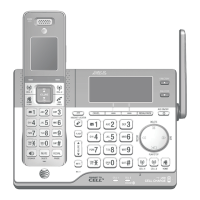
Quick reference guide - telephone base
Main menu
The selected menu item is highlighted.
Feature menu
f Answering sys (page 148)
f Smart call blk (page 109)
f Directory (page 87)
f Caller ID log (page 98)
f Intercom (page 74)
f Bluetooth (page 23)
f Ringers (page 40)
f Set date/time (page 42)
f Caller ID annc (page 44)
f Settings (page 43)
f Web address (page 51)
Menu


 To Next Page
 Loading...