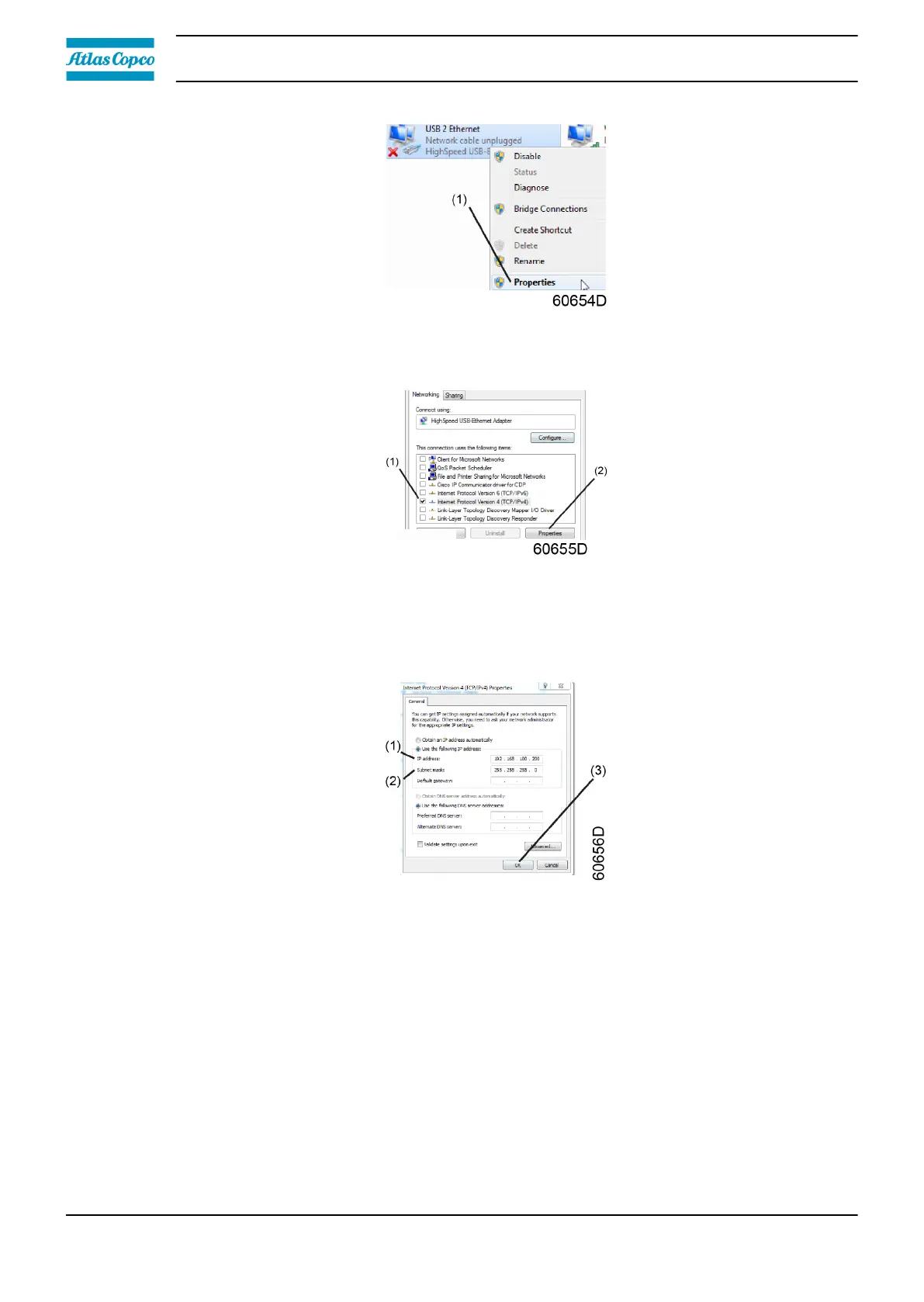
• Use the check box Internet Protocol version +4 (TCP/IPv4) (1) (see picture). To avoid conflicts,
uncheck other properties if they are checked. After selecting TCP/IPv4, click on the Properties
button (2) to change the settings.
• Use the following settings
• IP Address 192.168.100.200(1)
• Subnetmask 255.255.255.0(2)
Click OK (3) and close network connections.
Configure a company network (LAN) connection
• Ask your IT department to generate a fixed IP address in your company’s network. That IP
address will be excluded from the DNS server, so it will be reserved for the controller. Also get
the correct Gateway and Subnet mask settings. For example:
• IP = 10.25.43.200
• Gateway = 10.25.42.250
• Subnet mask = 255.255.254.0
• Connect the controller to the company's network (LAN) by using a UTP cable (min. CAT 5e).
Instruction book
48 2920 7219 10



 To Next Page