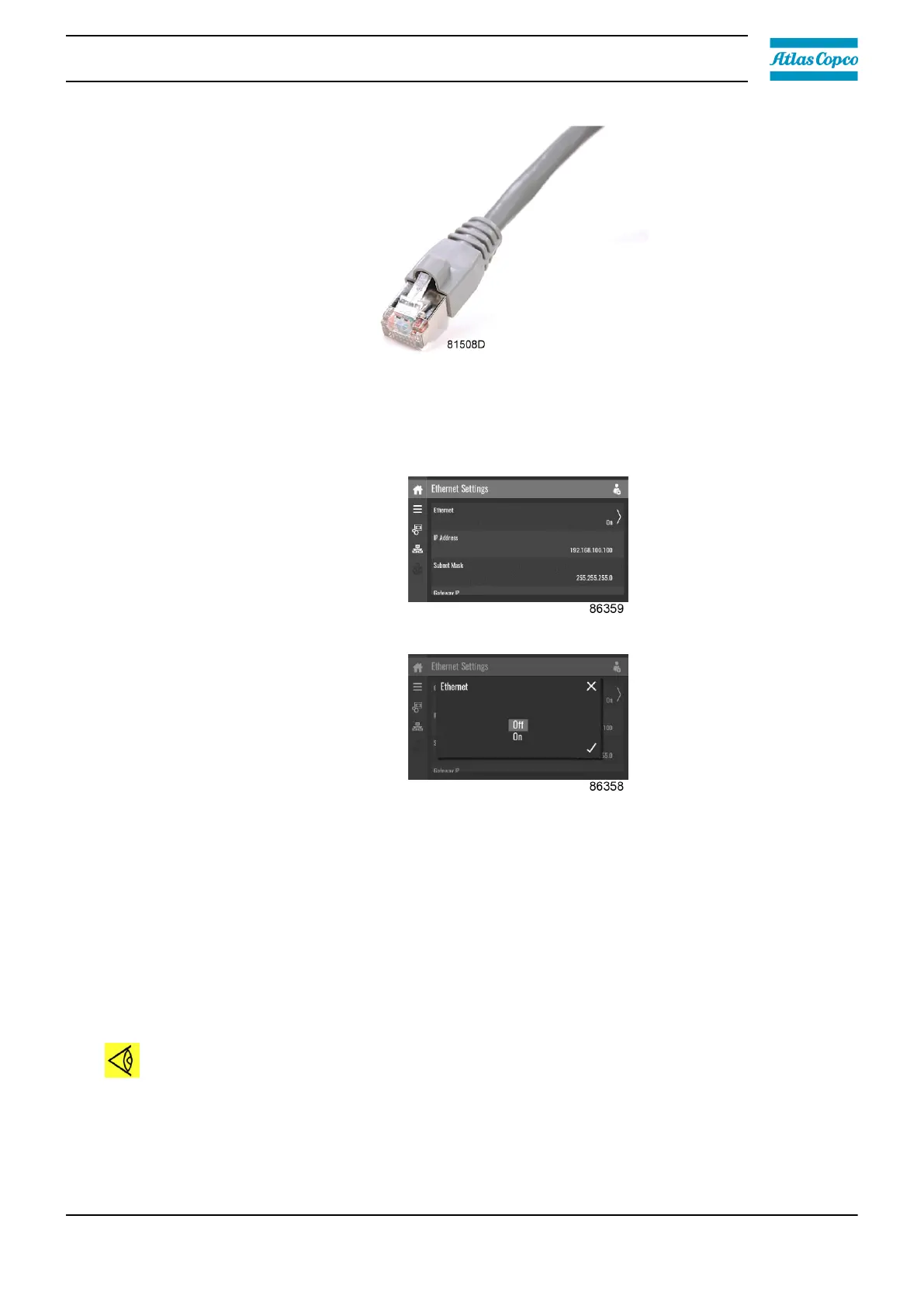
• Adapt the network settings in the controller.
• Put the controller in advanced mode by navigating to Menu > Controller settings >
Network settings > Ethernet settings.
• Switch off the ethernet communication to allow the editing of the settings.
• Adapt IP adress
• Adapt Gateway IP
• Adapt Subnetmask
• Switch on the Ethernet communication
• Wait a few minutes so the controller can be connected to the LAN network.
Configuration of the web server
The internal web server is designed and tested for Microsoft
®
Internet Explorer. Opera, Mozilla
Firefox, Safari and Chrome should work as well.
Viewing the controller data
Note:
All screen shots are indicative. The number of displayed fields depends on the selected
options.
• Open your browser and type the IP address of the controller you want to view in your browser
(in this example http://192.168.100.100). The interface opens.
Instruction book
2920 7219 10 49




 To Next Page