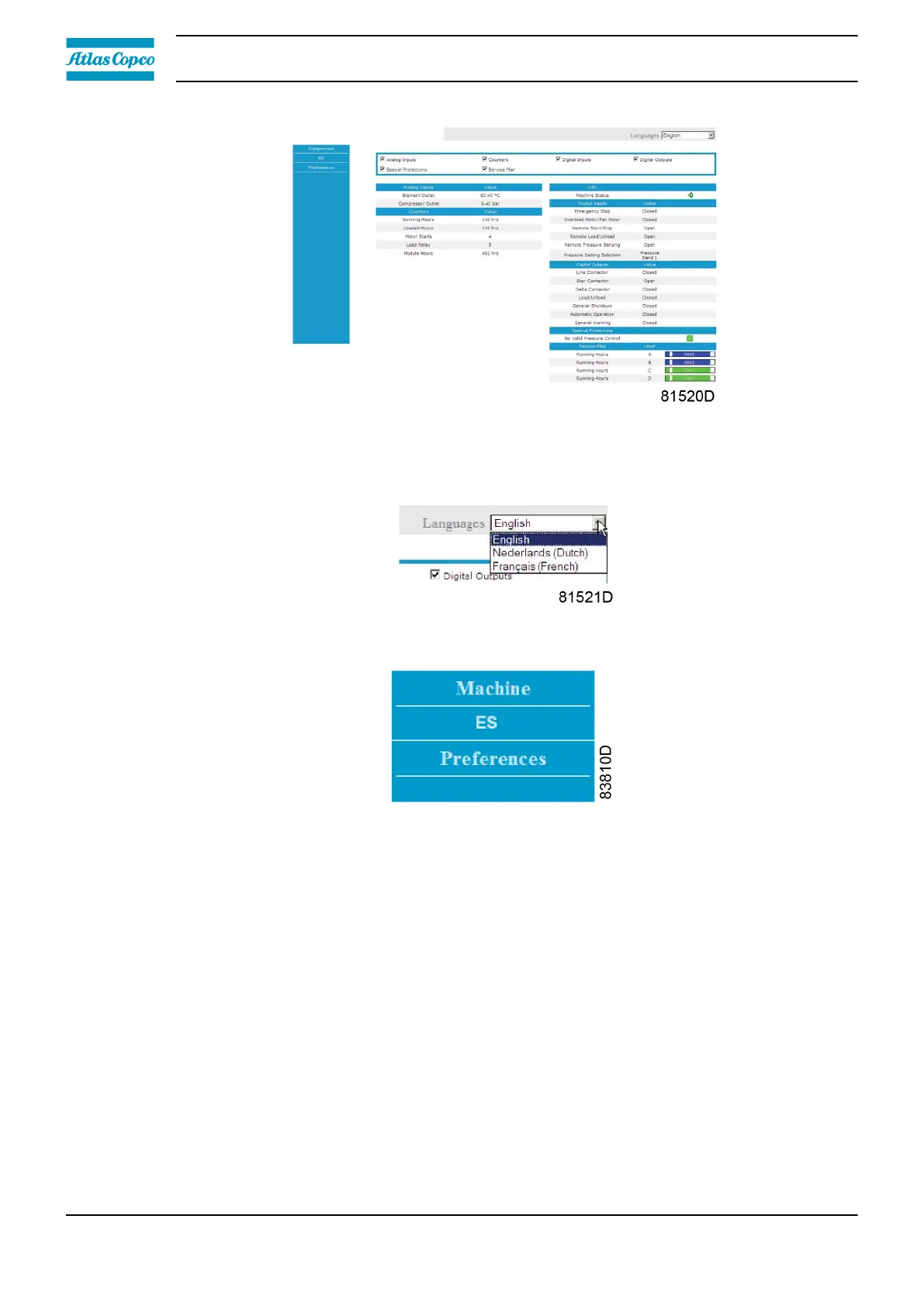
Navigation and options
• • The banner shows the unit type and the language selector. In this example, three languages
are available on the controller.
• • On the left side of the interface, you can find the navigation menu. If a license for ESi is
foreseen, the menu contains 3 buttons:
• Machine: shows all generator settings.
• ES: shows the ESi status (if a license is provided).
• Preferences: allows to change temperature and pressure unit.
Instruction book
50 2920 7219 10



 To Next Page