29
Getting Ready
LED Display
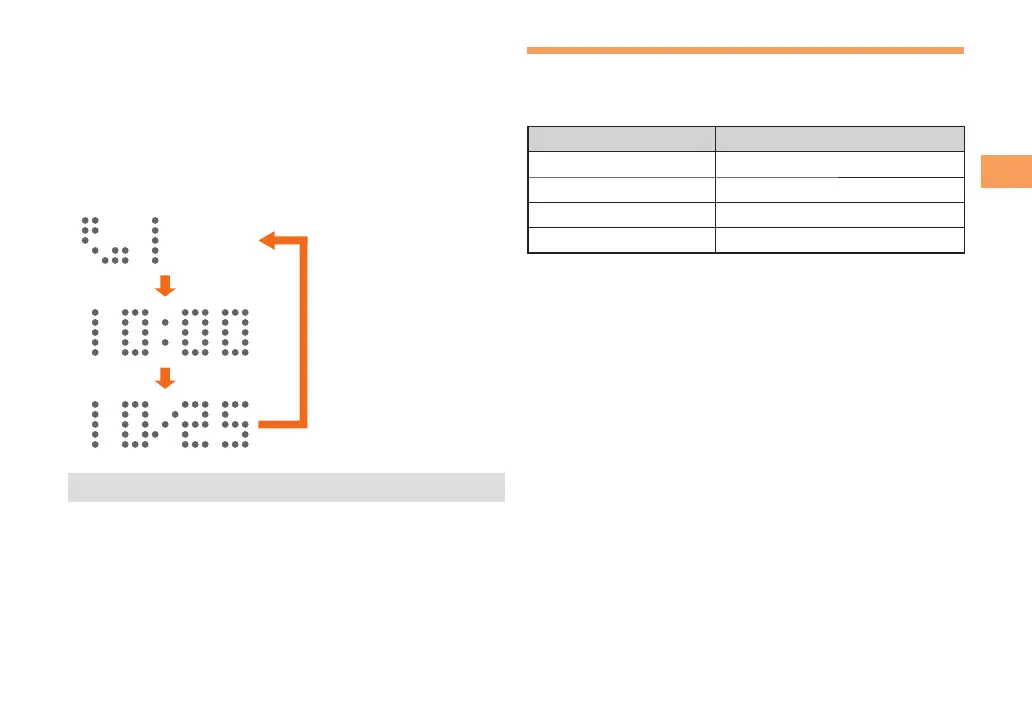
When PT003 is closed, the LED displays the current time.
Also, some icons or animations will appear on the LED
display to notify the alarm time or the conditions such as
reception of a call or mail, etc.
Pressing
()/( with the main unit closed displays the
condition of PT003. Each time you press )/(, the
display switches in the following order.
Missed call/Unread E-mail/
Unread C-mail/emergency
early warning mail
(Displayed only when receiving
a call or mail.)
Time (24-hour)
Date
)
/
(
)
/
(
)
/
(
• The date and time are set automatically.
Using Menu
You can access various functions from the Menu.
The Menu patterns vary by model color. The screenshots for
the Salty Mint models are used in this manual.
Model Color Menu Pattern
Salty Mint Menu-Mint1
Wind Black Menu-Black1
Coral Pink Menu-Pink1
Shell White Menu-List
You can use the Kantan menu by changing to the Kantan
mode.
When the standby screen is displayed, press c.
Use a to select Settings and then press c (Select).
Use j to select Kantan Mode and then press c
(Select).



 To Next Page