63
TV (1Seg)
TV ( 1Seg)
"1Seg", a mobile terrestrial digital television service in
Japan, is available on the PT003.
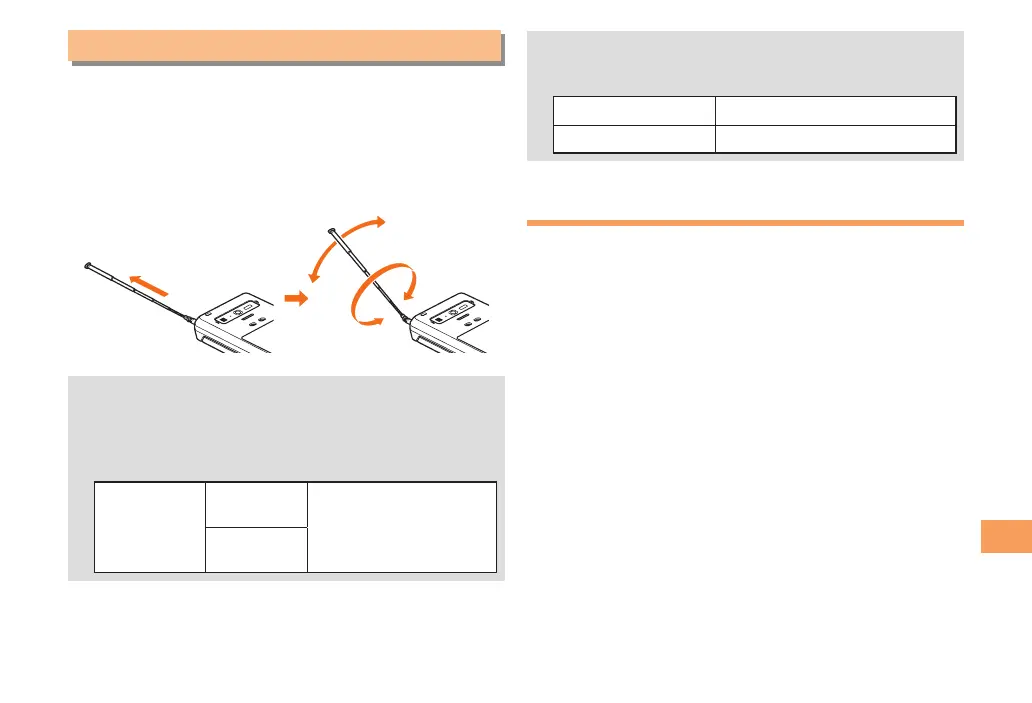
Using the TV Antenna
When watching TV (1Seg), fully extend the TV antenna to
ensure good reception.
• If you are watching TV indoors, you may be able to
improve the reception by moving closer to a window.
• The continuous viewing times of TV (1Seg) are as
follows. The figures vary according to the usage of
data broadcasts.
Continuous
viewing time
Using
earphones
Approx. 3 hrs 40 min.
Using
the speaker
• For information about the "1Seg" service, refer to the
following homepage.
The Association for Promotion of Digital Broadcasting
From a PC http://www.dpa.or.jp/
From a cell phone http://www.dpa.or.jp/1seg/k/
Initial Setup of TV (1Seg)
To watch TV (1Seg), you need to configure initial settings.
When the standby screen is displayed, press c.
Use a to select 1Seg and then press c
(Select).
Use j to select 1Seg and then press c (OK).
Disclaimer notes are displayed.
Check the disclaimer notes, use j to select
OK, and then press c (OK).
The channel scanning confirmation screen is displayed.
Use j to select Auto scan and then press c
(Select).
Automatic channel scanning begins. When receivable
channels are found, the channel setup is completed.
• Select Manual scan to set the channel manually.



 To Next Page