31
Getting Ready
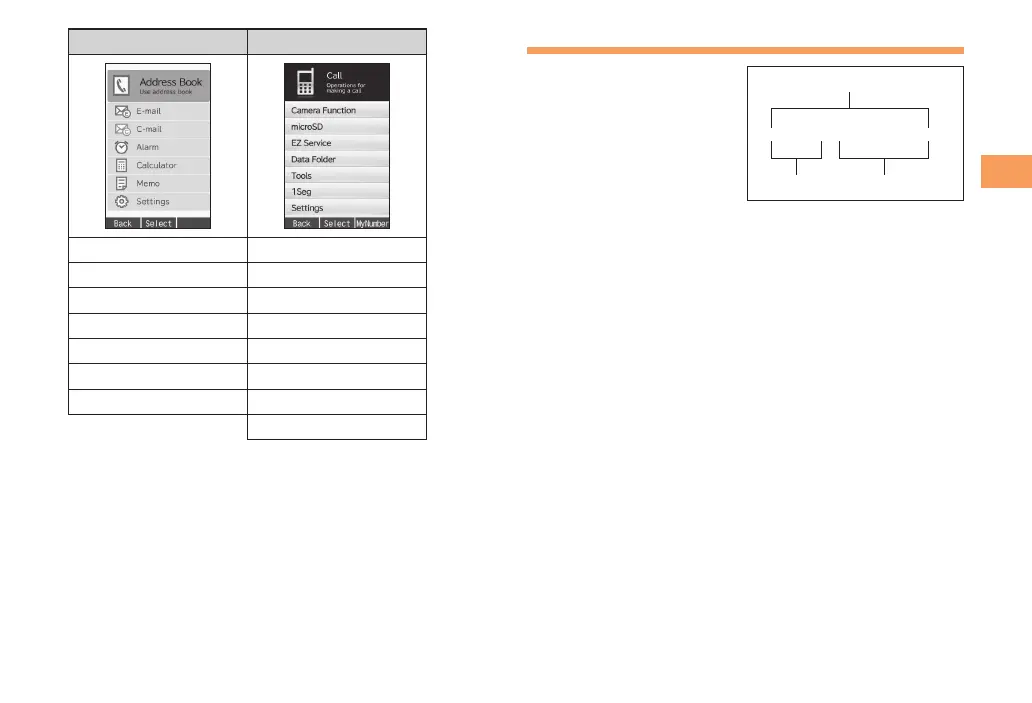
Teens Mode Menu Kantan Menu
Address Book Call
E-mail Camera Function
C-mail microSD
Alarm EZ Service
Calculator Data Folder
Memo Tools
Settings 1Seg
Settings
Changing Your E-mail Address
You can change the account
name of your e-mail address.
When the standby screen is displayed, press L.
Use j to select E-mail Setup and then press
c (Select).
Use j to select Other Setup and then press
c (Select).
The cell phone connects to the server.
Use j to select
(Change
E-mail Address) and then press c (Select).
Use j to select the entry box, press c (Edit),
enter your security code, and then press c (OK).
• Your security code is the four-digit number you wrote
on your subscription form.
• If the security code is incorrectly entered three times
consecutively during a single day, the e-mail address
change operation will be disabled until the next day.
Use j to select
(Send) and then press
c (Select).
△△△@ezweb.ne.jp
Account name Domain name
E-mail address



 To Next Page