64
TV (1Seg)
Watching TV (1Seg)
When the standby screen is displayed, press c.
Use a to select 1Seg and then press c
(Select).
Use j to select 1Seg and then press c (OK).
Disclaimer notes are displayed.
Check the disclaimer notes, use j to select
OK, and then press c (OK).
To Change Channels
Use s to change channels.
To Adjust the Volume
Use j to adjust the volume.
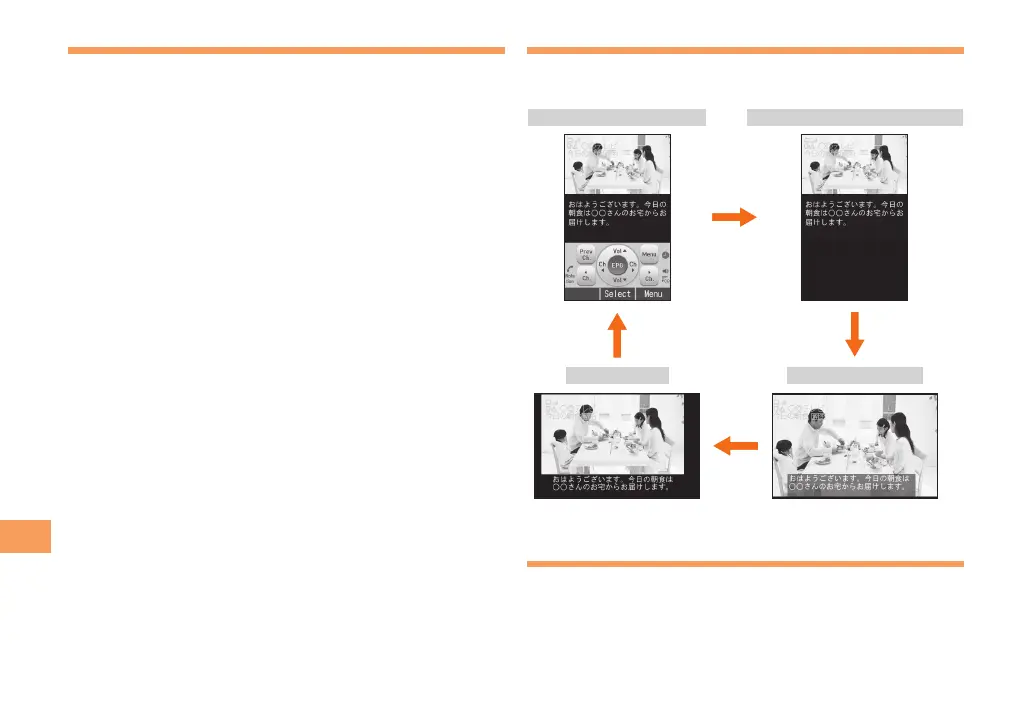
Switching the Display
On the TV(1Seg) operation screen, pressing N switches
the display.
N
N
N
N
Normal screen without control panel
Normal screen with control panel
Horizontal full screen
Horizontal screen
Exiting the TV (1Seg)
Press F, use j to select Yes and then press
c (Select).



 To Next Page