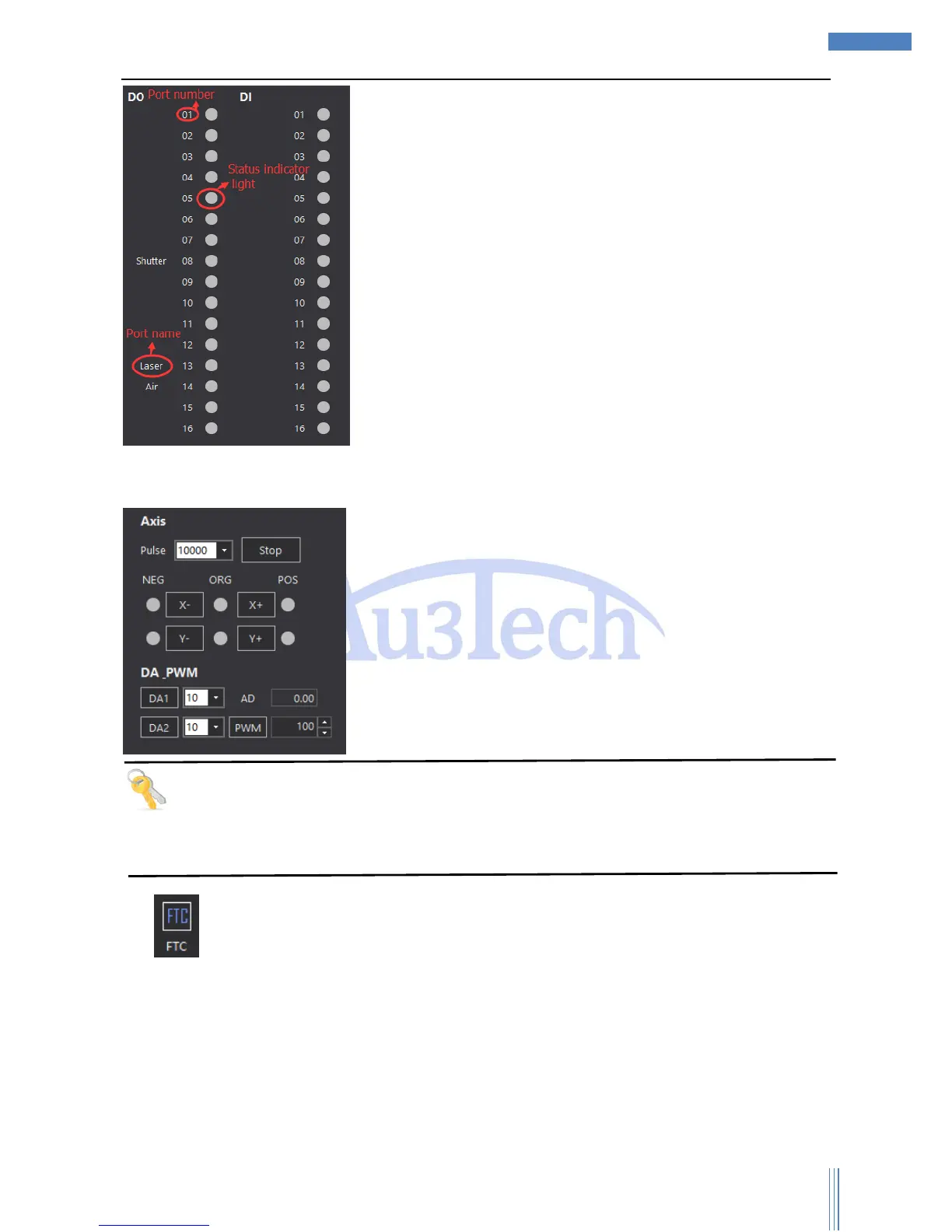
The output status of each axis can also be controlled.
Tips
When installing SC1000, user can check each input/output port to see if it’s working properly though
this function. If some port is not working properly, user can use this function to find out.
2) “Focus tracking controller” can monitor the running status of Z axis. User can set up the
parameters of FTC91/FTC61. It’ll be much more convenient for user to use our FTC91/FTC61.



 To Next Page