Wall panel inputs
Theothertwoinputs(Inputs7and8)arewallpanelinputs.Theseinputsignalsare
comingfromexternalWallPanelinputdevices,whicharepatchedtotheWallPanel(WP)
RJ45connectorsontheMTX.Thesezoneinputsareseparatelyforeveryzone,andnot
linkeablewithotherzones.Input7isthe“MWX65/WLI”input,containingthesignal
comingfromexternalAll-in-one(MWX65)orLine(WLI)inputunits.Input8isthe“WMI”
input,containingthesignalcomingfromexternalMicrophone(WMI)inputunits.
Two-band tone control
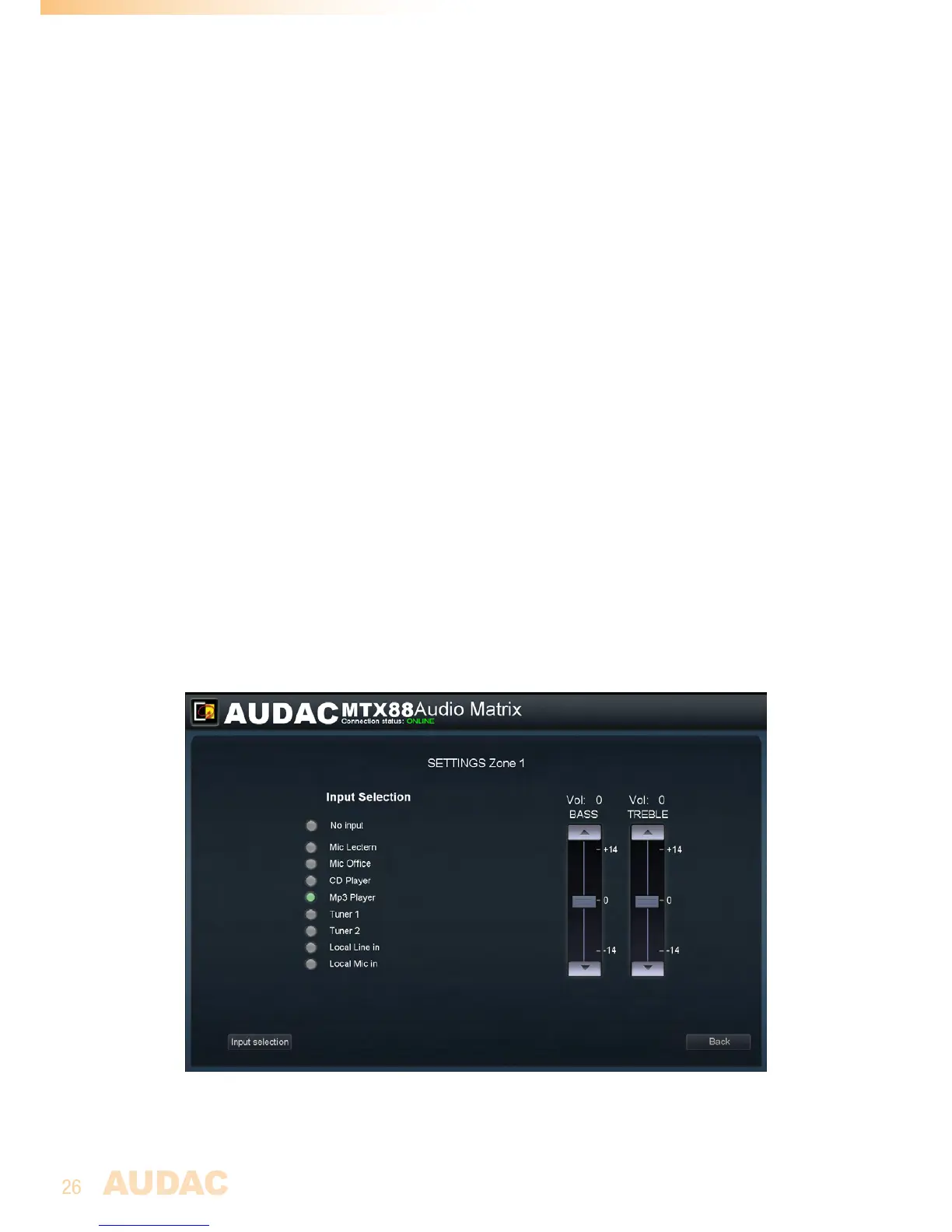
Ontherightsideofthewindowtherearetwofadersdisplayedwherebythesound
settingscanbeadjustedthroughtwo-bandtonecontrol.Theleftmostfaderindicated
with“Bass”offersthepossibilitytoadjustthelevelofthelowfrequencies,whilethe
rightmostfaderindicatedwith“Treble”offersthepossibilitytoadjustthelevelofthehigh
frequencies.Thesoundlevellevelforbothlowandhightonescanamplifiedorattenuated
between+14dBand-14dB.Thiscanbeeasilydonebyslidingthefadersupanddown.
Assign input names
Forabetteroverviewofalltheinputs,anamecanbeassignedtoeveryspecificinput.
Thenameoftheinputcanbechangedbydoubleclickingontheinputnameshownin
the“ZoneSettings”screen.Whenacursorcomesup,removetheexistingnamewiththe
backspacekey,andjustchangethenameintothedesiredname.Afterthedesiredinput
namesareentered,theywillbestoredautomaticallywhenpushingthe“Back”buttonand
willberecalledwhenreloadingtheMTXinterface.
Input selection
Inthe“InputSelection”menucanbeselectedwhichinputsshouldbemadeavailablein
the“QuickSelectionMenu”forthiszone.
Back
Clickthe“Back”buttontogobacktothemainwindow.
MTXZonesettingsscreen



 To Next Page