LineLevelaudiosourcecanbeconnected,suchasCD-Player,MP3-Player,Computer,
Laptop,...Thestereosignalisconvertedintoadual-monosignalandistransferredfrom
theinputunittotheMTXinananaloguedifferentialwaywhichisinsensitivefornoiseor
interferrencecausedbyexternaldevices.
TheMicrophoneinputunits(WMI)areequippedwithafemaleXLRconnector,wheretoany
kindofbalancedmicrophonecanbeconnected.Forpoweringcondensormicrophones,12
Voltphantompowercanbeenabledbyajumperontherearsideoftheunit.Thesignal
istransferredfromtheinputunittotheMTXinananaloguedifferentialway,whichis
insensitivefornoiseandinterferencecausedbyexternaldevices.
Thesignalcomingfromthelineinputunitwillbeavailableininput7ofthecorresponding
zone,andthesignalcomingfromthemicrophoneinputunitwillbeavailableoninput8of
thecorrespondingzone.Twoinputunits(oneWLIandoneWMI)canbeconnectedinbus
structuretooneWPinput.TheinputsfromtheMWX65andtheinputsfromtheWLIare
bothavailableoninput7.Thismeansthatonlyoneoftheseinputscanbeconnectedata
time.
TheconnectionoftheWLIandWMIunitsshouldbedonebyusingCat5e(orbetter)
cablingandthemaximumcablelengthtotheMTXis300meter.
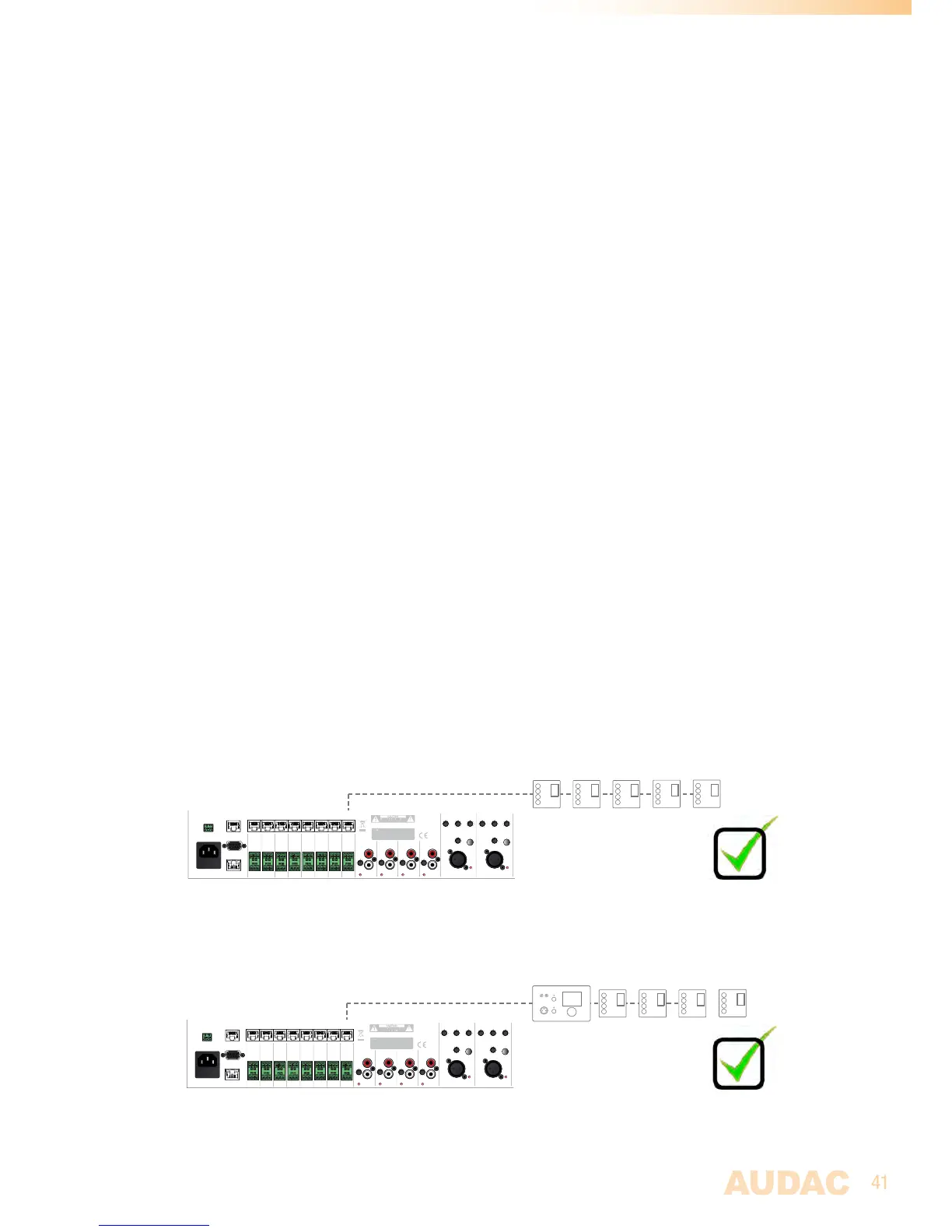
MTX Wall panel connection possibilities
ThissectionprovidesanoverviewforthewallpanelconnectionpossibilitiesontheMTX.
Inrealitytherearemanymorecombinationspossiblethandescribedhere,butwiththese
fewexamplesandthebriefdescriptionitshouldbeclearwhichconnectionssolutionswill
workandwhichsolutionswon’twork,andwhy.
MultipleMWX43/45WallpanelscanbeconnectTedononeWallPanelInput.
Theycanbeconfiguredtocontrolallthesame,ordifferentzones.
CLIP
PAGING
Zone 8
Line 5 Line 4 Line 3Line 6
Mic 1Mic 2
-14 +9
PHANTOM
GAIN
-50 0
MTX88
AUDAC
Caution: Only use
fuses of the same type
Warning: Do not
expose this equipment
to rain or moisture
GAIN
MID
-15 +15
HIGH
-15 +15
LOW
-15 +15
MID
-15 +15
HIGH
-15 +15
LOW
-15 +15
PHANTOM
GAIN
-50 0
AC Input
100-240V 50/60Hz
Fuse: T1AL/250V
ETHERNET
RS-232
WP
GND
R+
R-
GND
L+
L-
Zone 7
WP
GND
R+
R-
GND
L+
L-
Zone 6
WP
GND
R+
R-
GND
L+
L-
Zone 5
WP
GND
R+
R-
GND
L+
L-
Zone 4
WP
GND
R+
R-
GND
L+
L-
Zone 3
WP
GND
R+
R-
GND
L+
L-
Zone 2
WP
GND
R+
R-
GND
L+
L-
Zone 1
WP
GND
R+
R-
GND
L+
L-
CLIP CLIP CLIP
CLIP CLIP
GND
+24 V
-14 +9
GAIN
-14 +9
GAIN
-14 +9
GAIN
WP
Prog.
Vol
+



 To Next Page