IMPORTANT
AlwaysmakesuretheMTXispoweredoffwhenconnectingordisconnectingdevicesto
theWPinputs.
Wall mounted control panels
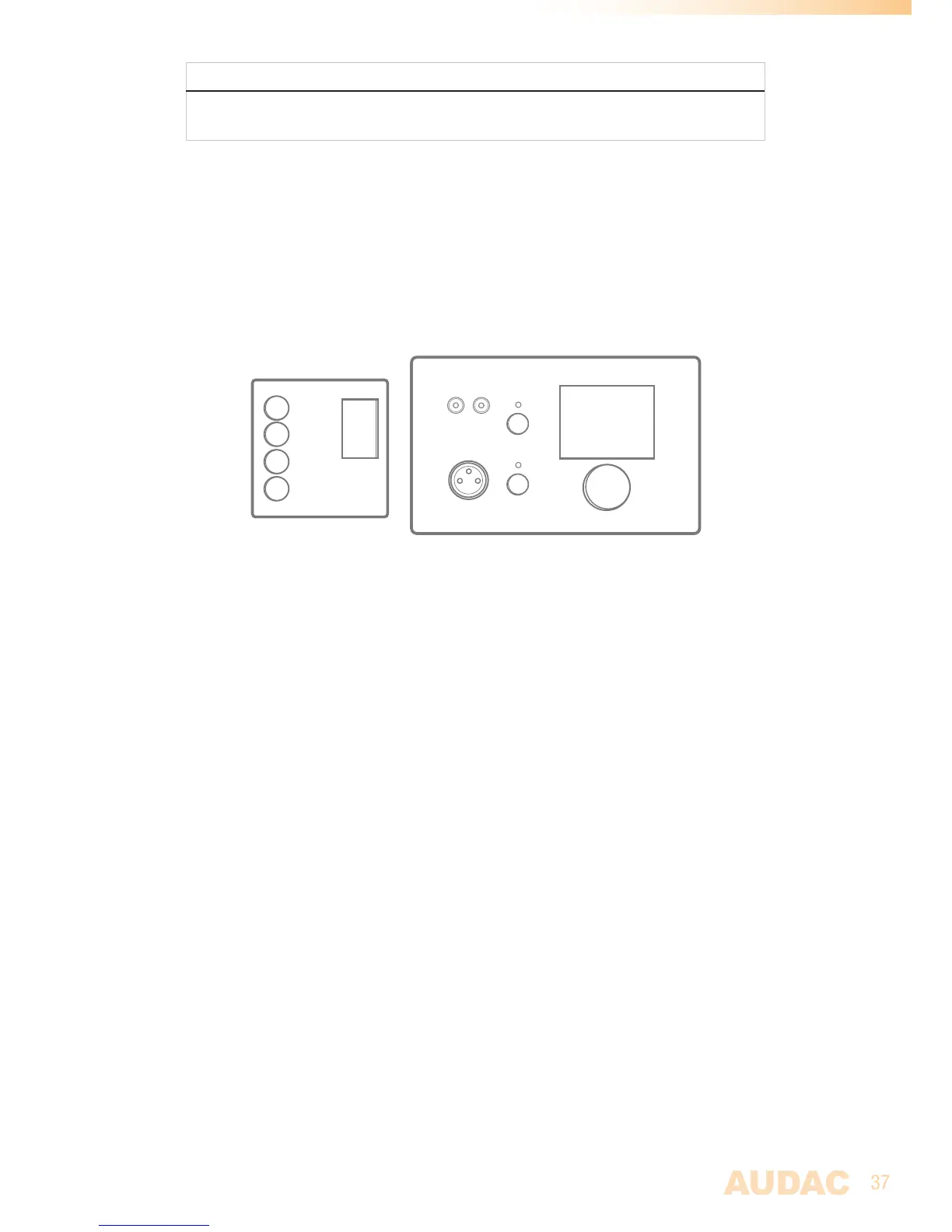
TheMTXinstallationcanbeexpandedwithadditionalwallcontrolpanels.Twokindsof
differentwallpanelsareavailable.TheMWX43/45standardwallpanelwhichallowsto
adjusttheroutingandvolumeforoneparticularzone,andtheMWX65All-In-Onewall
panelprovidesthepossibilitytoconnectanadditionalLineorMicrophonesignalsourcein
aspecificzone.
Prog.
Vol
+
AUDAC
LINE IN
MIC IN
MWX43/45(Left)&MWX65(Right)Wallpanels
ThesewallpanelsshouldbeconnectedtotheWP(WallPanel)portsontherearsideofthe
MTXwithTwistedpairUTPCat5e(orbetter)cabling.MultipleMWX43/45wallpanelscan
beconnectedononesingleWP(Upto32wallpanelsaccordingtoRS485specification).
ButonlyoneAll-In-Onewallpanelwithaudioinputs(MWX65)canbeconnectedonone
singleWPPort
MWX43/45 Basic wall panel
Functions
TheMWX43/45isthebasicwallpanelwhichallowsyoutocontrolroutingandvolumefor
onespecificzone.
Change routing
TheMWX43/45displaywillindicatethecurrentroutingfortheconfiguredzone,by
displayingthenumberbetween1and8onthedisplay.Ifthe“Prog+”buttonispressed,
thenextinputwillbeselected,ifthe“Prog-”buttonispressed,thepreviousinputwillbe
selected.
Change volume
Thevolumeinthecorrespondingoutputzonecanbechangedbypressingthe“Vol+”
and“Vol-”buttons.Thevolumewillincreaseafterpressingthe“Vol+”buttonandwill
decreaseafterpressingthe“Vol-”button.Whenthevolumeischanged,thedisplaywill
indicatethecurrentlysetlevelfortwoseconds,andafterthosetwoseconds,therouting
willbedisplayedagain.



 To Next Page