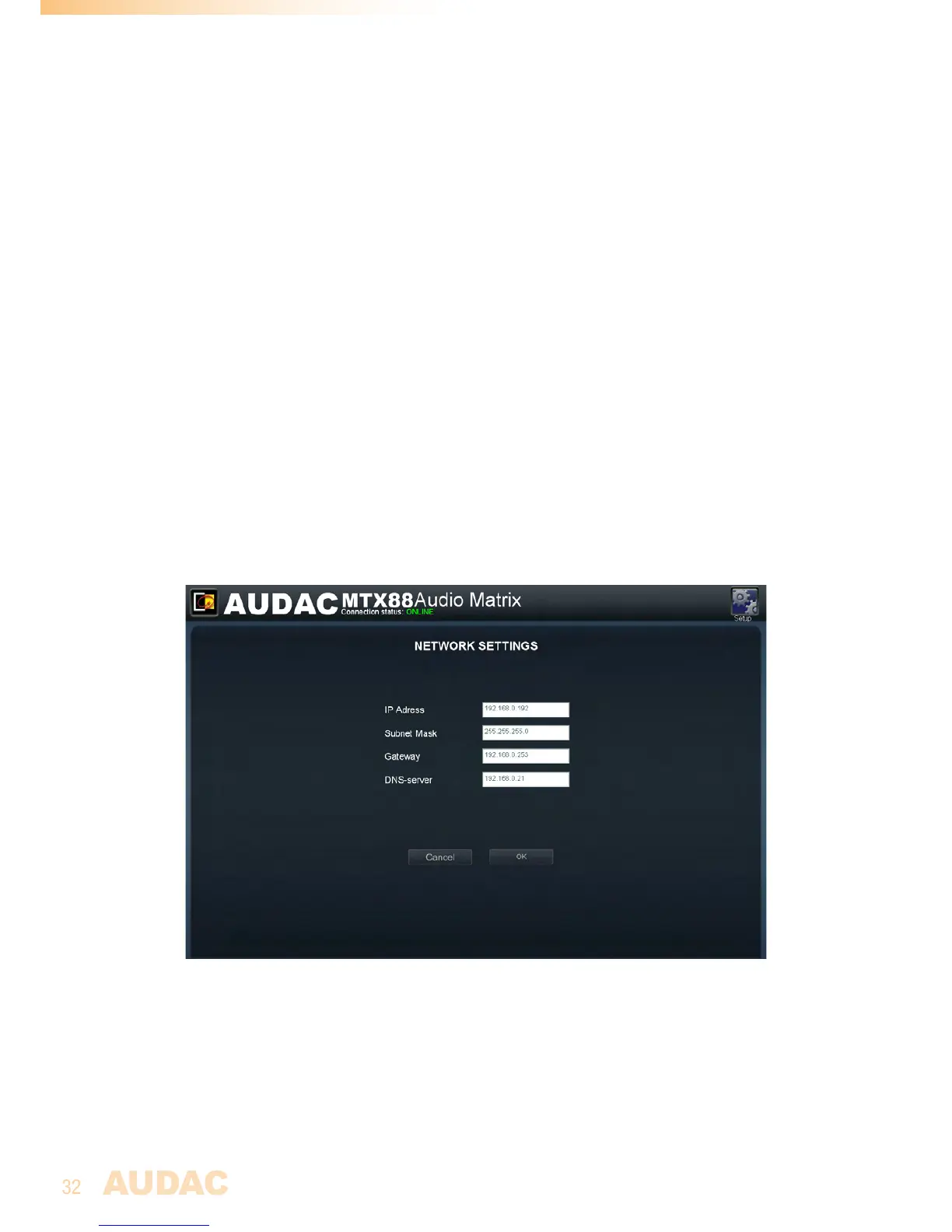
Settings >> Network settings
Inthiswindow,thenetworksettingsoftheMTXcanbeadjusted.TheIPaddresscanbeset
manuallyorcanbeautomaticallyassignedbyaDHCPserver.
TheIPaddressisstandardsetto192.168.0.192andthesubnetmaskisstandardsetto
255.255.255.0.
Be aware:
WhenaDHCPserverisusedinthenetwork,andtheDHCPfunctionoftheMTXis
enabled,theDHCPserverautomaticallyassignsanIPaddresstotheMTX.
InsomecasesthiscancauseproblemsbecausetheIPaddressisnotalwaysknownforthe
user,andtheIPaddressisrequiredtoaccessthewebbaseduserinterface.Ifyoudon’t
knowtheIPaddress,theMTXwillbelostinyournetwork.
Oneadditionalproblemisthat,whentheMTXbootsthenexttime,theIPaddressthatthe
DHCPserverassignscanbedifferent.
TheIPaddresscansimplybechangedbychangingthevalueinthecorrespondingfield.
AftertheIPaddressischanged,youwillbeautomaticallyredirectedtothenewlychanged
IPAddress.
Clickthe“OK”buttontoconfirmthenetworksettings.
MTXNetworksettingsscreen



 To Next Page