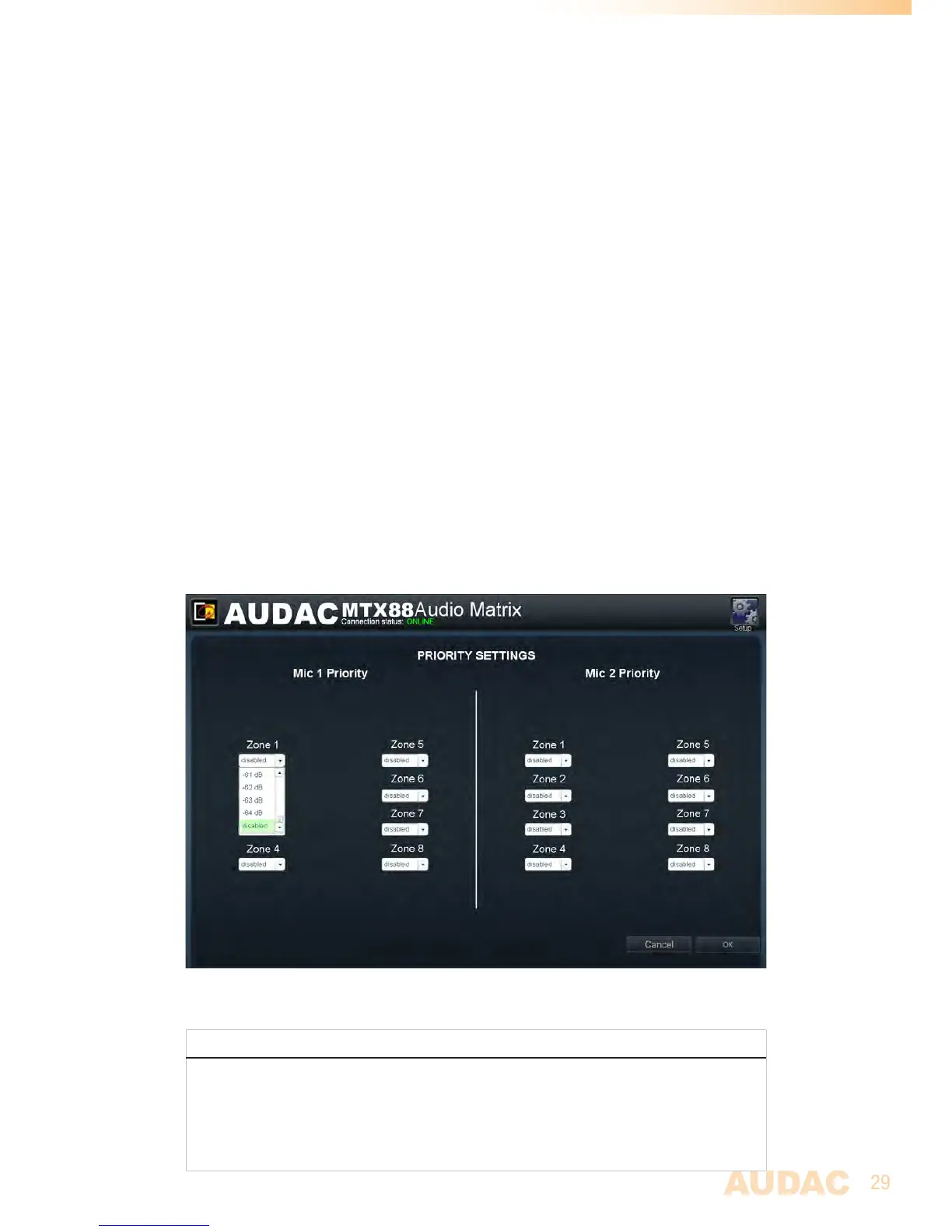
Settings >> Priority settings
Theprioritysettingsmenumakesitpossibletosetthepriorityfordirectmicrophoneinputs
Mic1andMic2.Whenamicrophoneinputhaspriorityinacertainzone,alltheotheraudio
sourceswillbesuppressedforthatzonewhenasignalisappliedtooneofthepriorityinputs.
Priority enabling / volume
ThiswindowshowsanoverviewforbothmicrophonechannelsMic1andMic2with
listboxesforeveryoutputzoneoftheMTX.Withthelistboxes,theprioritycanbeenabled
andthelevelcanbeset.
Standard,alllistboxesareswitchedto“Disabled”.
Whenamicrophoneinputshouldhavepriorityinacertainzone,theconditionshouldbe
changedfrom“Disabled”tothedesiredlevel.Thedesiredlevelcanbeselectedbysteps
of-1dBinarangebetween0dBand-64dB.Whenthelevelissetto0dB,thepriority
messagesforthatzonewillbeannouncedonmaximumvolume.
TheswitchingtoandfromaprioritysignalisdoneaccordingtotheHARDIN - FADEOUT
principle.Thismeanswhenaprioritysituationoccurs(signalpresentonthepriority
inputs),immediatelywillbeswitchedtothischannel.Whentheprioritysituationisover
(nomoresignalpresentonthepriorityinputs),thestatuswillreturnbacktotheinitial
statusbyfadingthesoundin.
Clickthe“OK”buttontoconfirmtheprioritysettings.
MTXPrioritysettingsscreen
PRIORITY RANK
Whenaprioritysituationoccursandvariouspriorityenabledinputsaretriggeredatthe
sametime,thepriorityrankwillbeinfollowingorder:
1)Mic1input(Highestpriority)
2)Mic2input
3)Paginginput(Lowestpriority)



 To Next Page