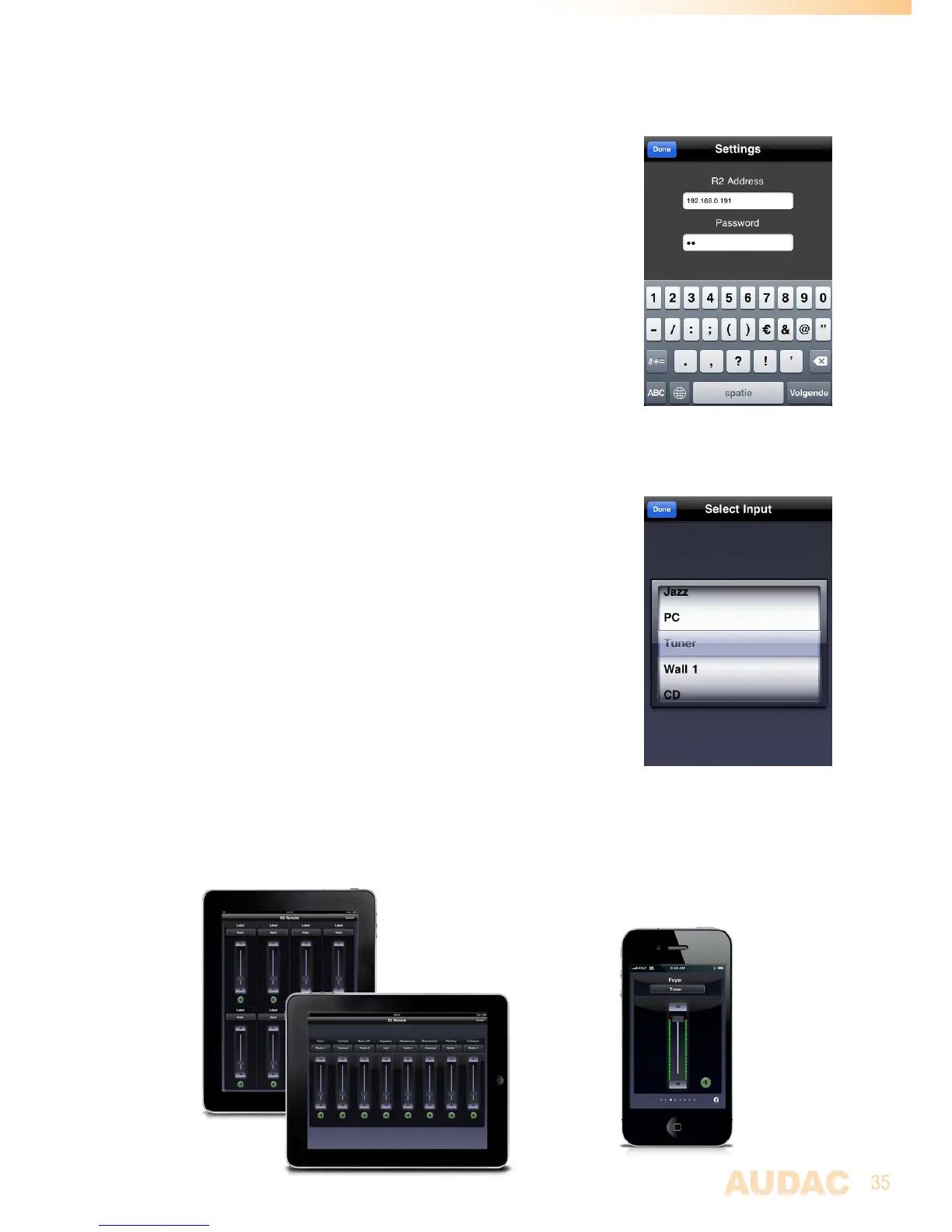
iPhone + iPad
Theapplicationwhichisavailablefromtheappstoreturnsyour
iPhoneoriPadintoafullyfledgedaudiomatrixcontrollerwhenusing
itincombinationwithwiththeMTX.SimplyconnectittoyourLAN
networkbyusingawirelessaccesspoint,andafterinstallingtheapp
onyourmobiledevice,itisreadytobeused.
Toinstalltheapponyourmobiledevice,justtapthe appstorebutton
anddownloadthe‘MTXRemote’appbyAUDAConyourmobile
device,ordownloadtheapplicationfromiTunes®.(Ifit’sdownloaded
byiTunes,youfirstneedtosynchroniseitbeforethe‘MTXRemote’
logowillappearonyourdisplay)
Aftertheappisinstalled,makesureyourmobiledeviceisconnected
toyourwirelessnetworkandruntheappbytappingthe‘MTXRemote’
appbutton.Whenstarting-up,itwillaskfortheIPaddressofthe
devicewhereitshouldbeconnectedtoandthepasswordshouldbe
entered.Themobileapplicationsonlyoffersyouthepossibilityto
changebasicconfigurationsettingslikevolumeandroutingcontrol,
sothe‘Administrator’and‘User’passwordbothofferyouthesame
rightshere.
Afterthepasswordisentered,youwillberedirectedtothemain
screenoftheapp,showingonefaderforonespecificzone.The
volumeforthisspecificzonecanbesetbymovingthefaderupand
downwardsandtheinputsignalcanbeselectedbytappingonthe
inputsignalsname.Thenalistwillbeshownwhereoutthedesired
inputsignalcanbeselected.Thegreenbuttononthebottomcanbe
usedtomutethevolumeforthecorrespondingzone,andwillturn
redwhenthevolumeismuted.Toswitchbetweenseveraloutput
zones,justsweepoveryourdisplayfromlefttoright,orrighttoleft.
TheiPadappisworkingsimilarandveryintuitivejustastheiPod
andiPhoneapp,theonlydifferenceisthatmultiplefaderswillbe
shownbesidesoraboveeachother.Inhorizontalposition,allfaders
willbeshownnexttoeachother,whileinverticalpositiontworows
offaderswillbeshownaboveeachother.



 To Next Page