Configuration
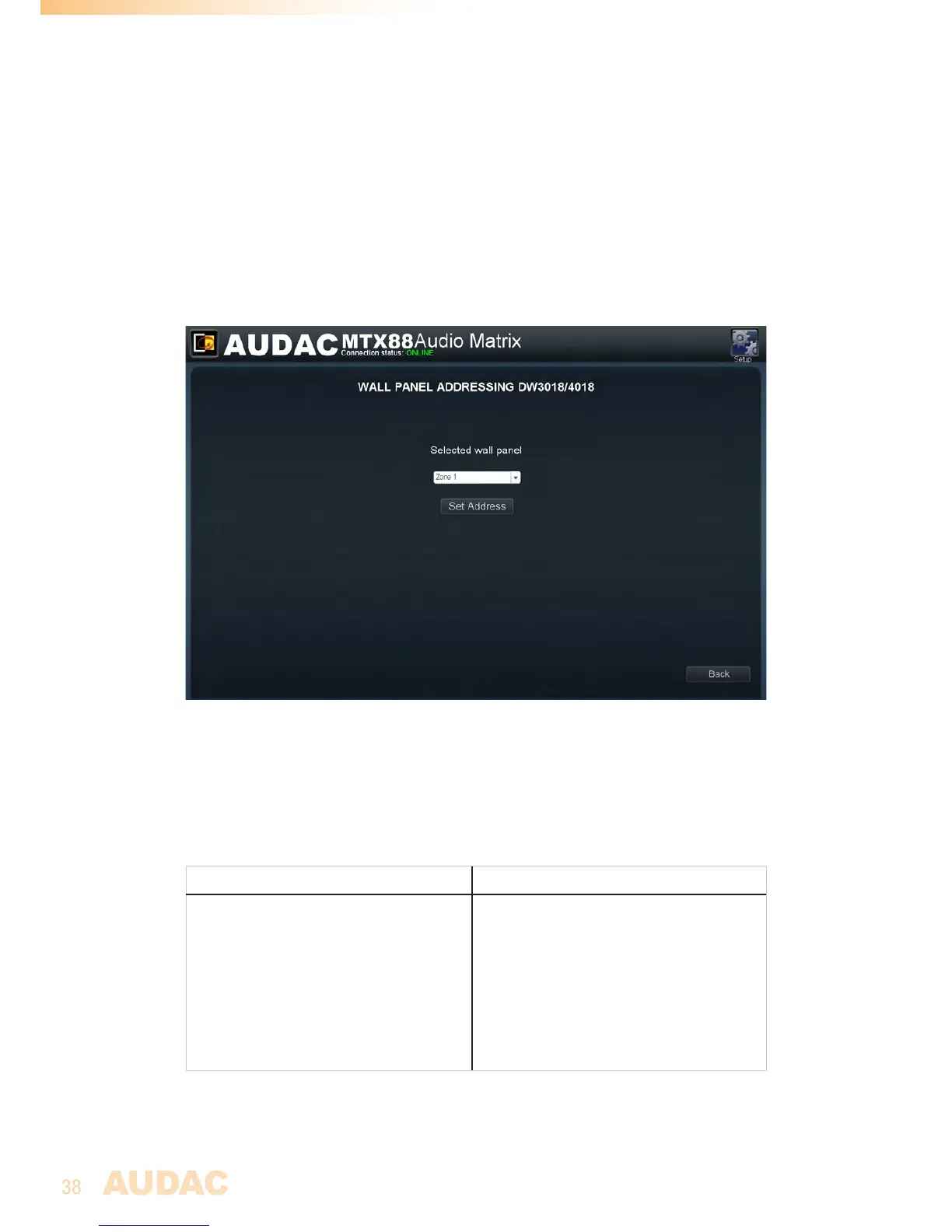
BeforetheMWX43/45wallpanelscanbeused,thewallpanelsneedstobeassignedto
oneparticularzone.Performtheproceduredescribedbelowtomakesurethisisdone
correctly.
Gotothe“Setup”menuandclick“Systemconfiguration”.Thenclickthe“MWX43/45”
button.Awindowwithadropdownlistwillbeshown,showingalltheoutputzonesfrom
“Zone1”to“Zone8”(or“Zone1”to“Zone4”forMTX48).Selectthezonewheretothe
wallpanelshouldbeassigned,andclickthe“SetAddress”button.Theselectedzone
numberwillstartblinkingonthedisplayofthewallpanels,andafterpressingtheupper
buttononthedesiredwallpanel,itwillbeassignedtotheselectedzone.Simplyrepeat
thisactionuntillazoneisassignedforeveryconnectedwallpanel.
MWX43/45Settingsscreen
Maximum cable length
Themaximumcablelengthdependsofthenumberofconnectedwallpanel.Whenonly
onewallpanelisconnected,amaximumcablelengthof600meterscanbereached.The
tablebelowgivesanoverviewofthemaximumcablelength,dependingoftheconnected
wallpanels.
No. of MWX43/45 Wall panels Maximum cable length
1
2
3
4
5
6
7
8
600meter
600meter
400meter
300meter
200meter
150meter
120meter
100meter



 To Next Page