Playing media 29
Tips
• Copyrighted CDs or CD-ROMs that do not conform to audio CD
standards cannot be played by your CD drive. Use only CDs having
the following logo on the CD itself “Compact Disc Digital Audio”.
• If outside temperatures are extremely high or low, playback of
the navigation DVD may be temporarily unavailable. A thermal
switch has been installed to protect the navigation DVD and the
laser scanner.
• Do not remove the cover. The device contains no parts that can
be repaired by the consumer.
General information on memory
cards
Both SD and MMC cards can be used as memory cards.
The memory card reader has been tested with many of the products
available on the market. However, in isolated cases it is possible that
individual memory cards may not be recognized.
Always keep the memory card in a suitable case to protect it from
dirt, dust particles, scratches, and other damage.
We recommend not saving the music files directly in the main direc-
tory of the memory card, but instead, create folders (e.g. put all the
tracks of a particular music style/an artist in one folder).
DRM music formats are not supported!
Note
• Use only single-piece SD/MMC memory cards. If you use
SD/MMC adapter cards (multi-piece memory cards), the memory
card can become detached from the adapter as the result of vibra-
tion while driving. There is a possibility that individual pieces may
become stuck in the drive.
• Never store important information on the memory card. Audi
bears no liability for damaged or lost data or files.
Tips
Individual types of memory cards may have limited functions.
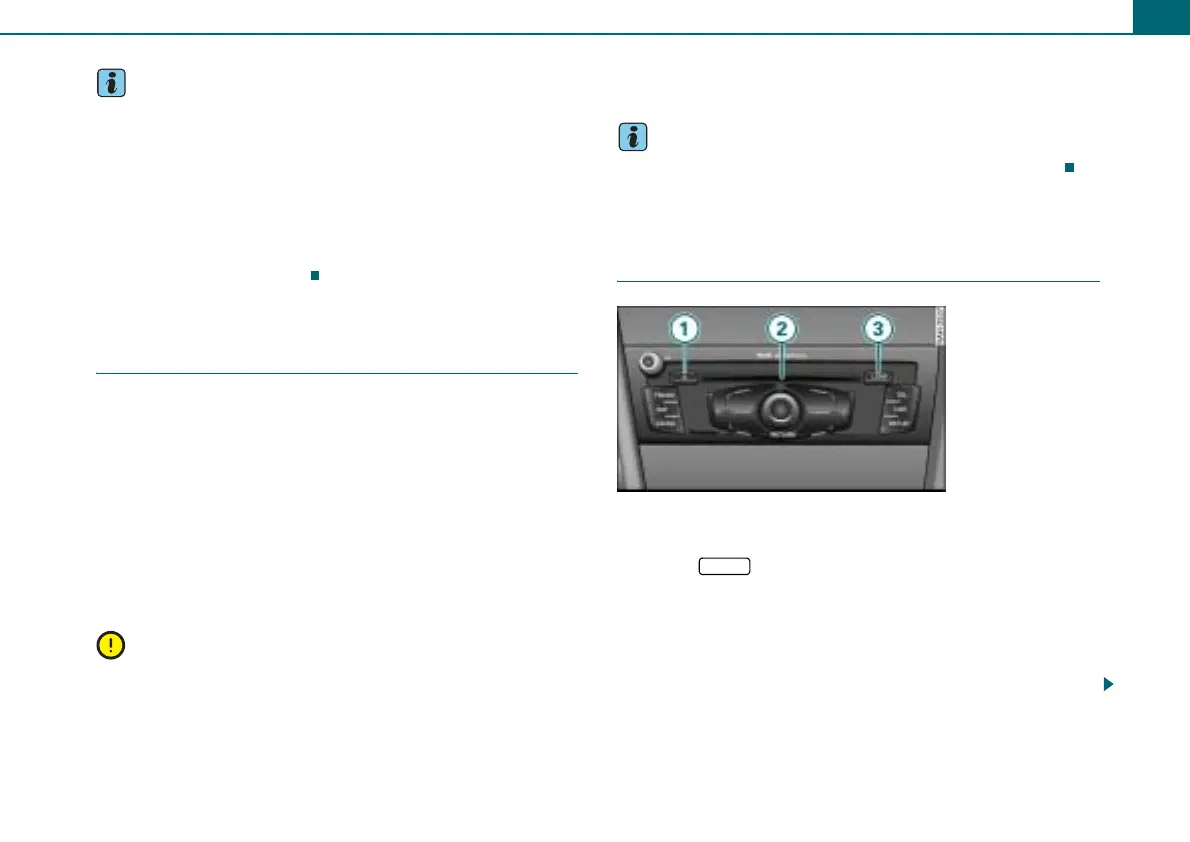
CD changer
Introduction
Eject button
CD tray
Button
The radio system has a CD changer. Audio CDs or MP3/WMA CDs
can be loaded into the CD changer.
A CD inserted in the drive is played using the CD function
⇒ page 28.
MP3/WMA files must have the following properties:
Fig. 36 Loading a CD
1
2
3 LOAD



 To Next Page