General operation14
Adjusting the sound
Basic settings
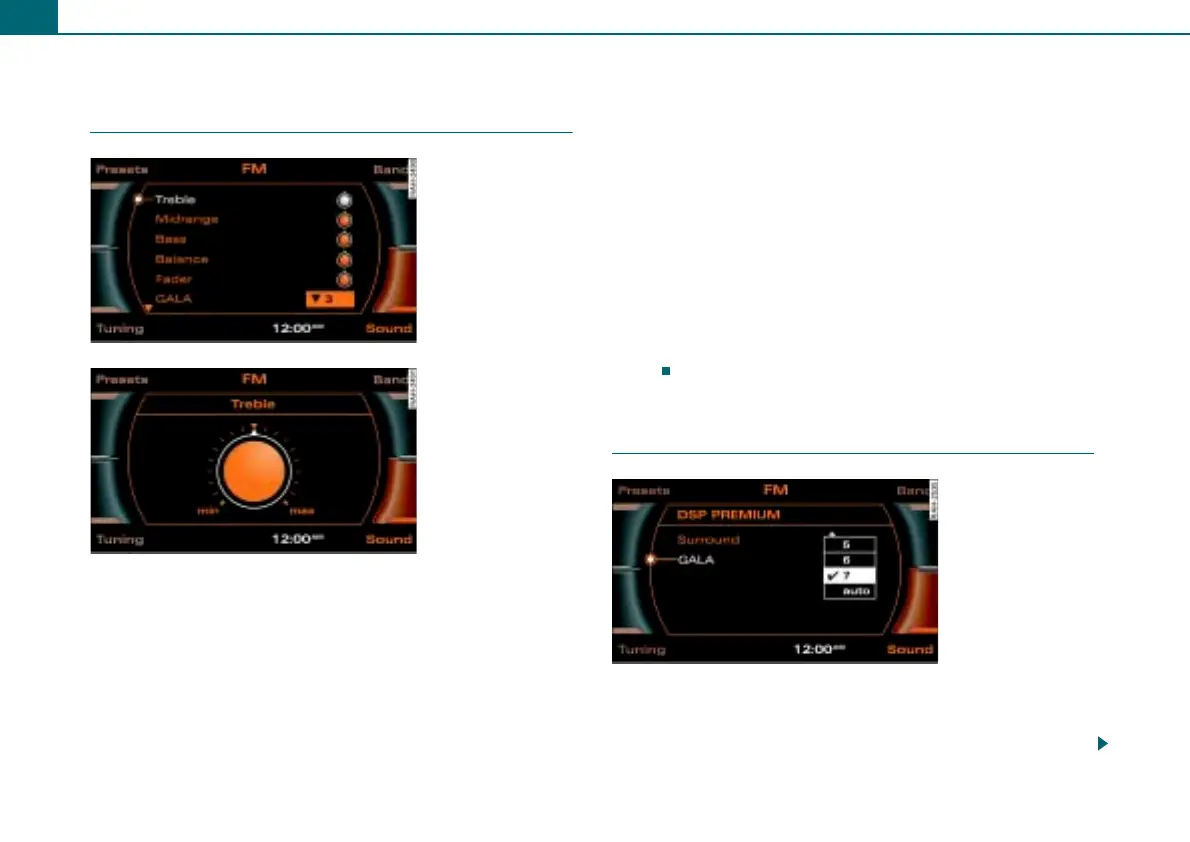
– In an audio or setup menu, press the control button
Sound ⇒ page 6.
– Rotate the control knob to a menu item (e.g. Treble
⇒ fig. 12).
– Press the control knob. The selected menu item is shown
enlarged in the display ⇒ fig. 13.
– To adjust the sound characteristics, rotate the control
knob to the right or the left.
– To save your setting, press the control knob.
The following sound adjustments are possible:
• Treble
• Midrange
• Bass
• Balance: Adjusts speaker control left/right
• Fader: Adjusts speaker control front/rear
• GALA (speed dependent volume adjustment)
• DSP PREMIUM* ⇒ page 14
• Volume settings for additional audio-sources ⇒ page 13
Treble, midrange, and bass settings are valid for the mode you are
currently in. The balance and fade settings are independent of the
mode.
Applies to vehicles: with DSP Premium
DSP PREMIUM
Displaying DSP PREMIUM menu
– In an audio or setup menu, press the control button
Sound ⇒ page 6.
Fig. 12 Selecting
treble
Fig. 13 Adjusting
treble
Fig. 14 DSP PREMIUM



 To Next Page