Multifunction steering wheel50
Multifunction steering wheel
Applies to vehicles: with a multifunction steering wheel
Introduction
Using the multifunction steering wheel, you can operate
selected radio, CD, SD and telephone* functions quickly
and easily.
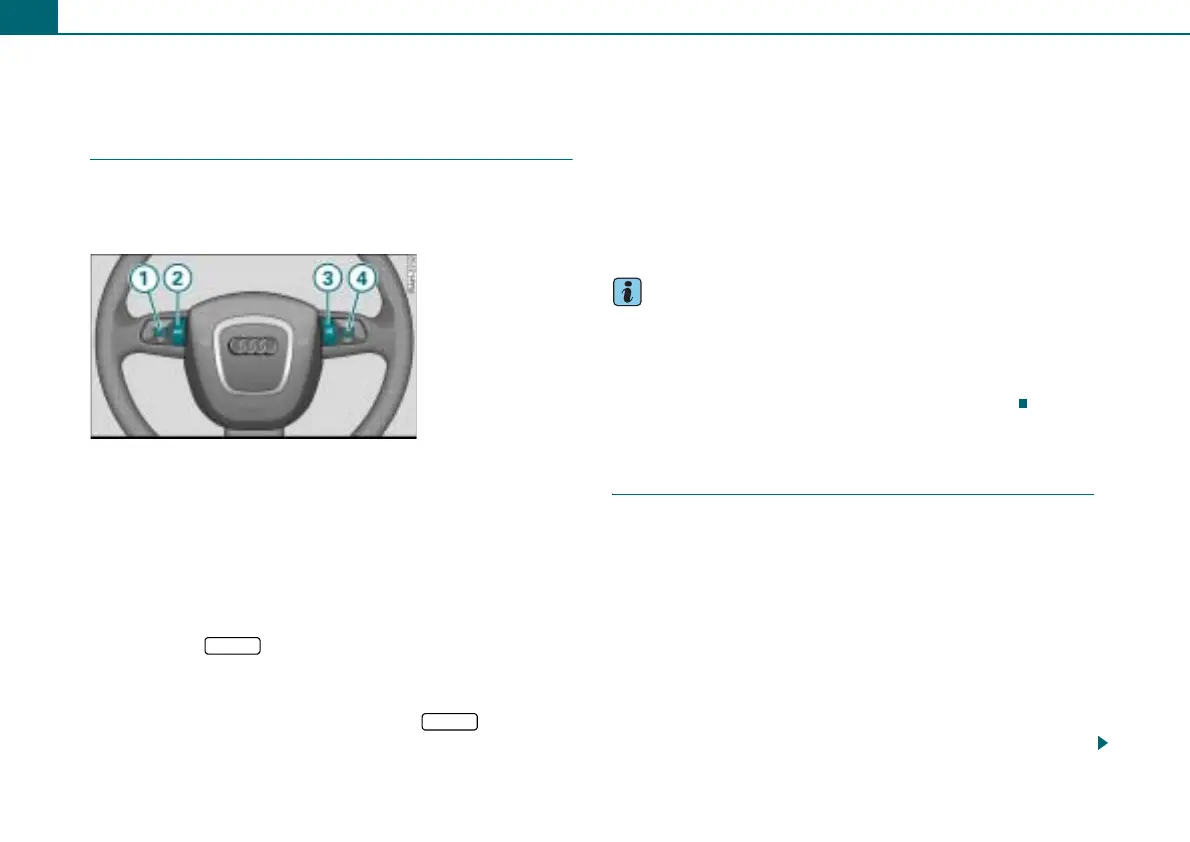
The multifunction steering wheel ⇒ fig. 57 allows you to operate
selected functions for the radio, CD, SD, and telephone* without
taking your hands off the steering wheel.
The functions are shown in the driver information system
⇒ page 51, fig. 58. Additionally, you can turn the telephone voice
operation* on and off as well as change the volume using the multi-
function steering wheel.
It is operated by pressing and rolling the buttons to ⇒ fig. 57.
• Pressing the button multiple times changes between
the Telephone* and the active audio source. The function is also
displayed in the driver information system ⇒ page 51, fig. 59. When
a submenu is displayed in the driver information system, the
submenu can be exited again by pressing the button.
• Rolling the left thumbwheel selects a function that varies
depending on whether radio, CD, SD, and telephone* is selected.
• The telephone voice operation* is activated by pressing the talk
button . Pressing and holding the talk button cancels voice oper-
ation.
• Rolling the right thumbwheel up/down increases/decreases
the volume.
• Pressing the right thumbwheel will mute the radio system or
cancel mute.
Tips
• The trip computer is also displayed in the driver information
system. Comprehensive information on this topic can be found in
the Owner's Manual of your vehicle.
• If systems are not available in the vehicle, the button on the
steering wheel assigned to that system has no function.
Applies to vehicles: with a multifunction steering wheel
Adjusting the volume
The volume of the active audio source (radio, CD, SD) and
the telephone voice operation* is adjusted using the
multifunction steering wheel.
Requirement: The radio is switched on ⇒ page 8.
Increasing and decreasing the volume
– Roll the right thumbwheel ⇒ fig. 57 up/down.
Muting (Mute)
– Press the right thumbwheel ⇒ fig. 57 to mute the
radio system or to cancel mute, or
Fig. 57 Controls on the
multifunction steering
wheel
1
4
MODE
2
MODE
1
3
4
4
4
4



 To Next Page