Calling 47
Tips
• The audio source is muted during an incoming/outgoing call.
The status bar displays the mute symbol ⇒ page 9, fig. 6.
• A call can also be answered/rejected using the multifunction
steering wheel ⇒ page 55.
Applies to vehicles: with cell phone package
Ending a call
Requirement: There is an active call.
– To end a phone call or to cancel dialing, press the control
button End call.
Tips
A call can also be ended using the multifunction steering wheel
⇒ page 55.
Applies to vehicles: with cell phone package
Dialing stored telephone numbers
Simply dial a telephone number from call lists or the
phone book.
Requirement: The telephone is switched on ⇒ page 43 and
contains at least one stored telephone number.
– Press the control button Memory.
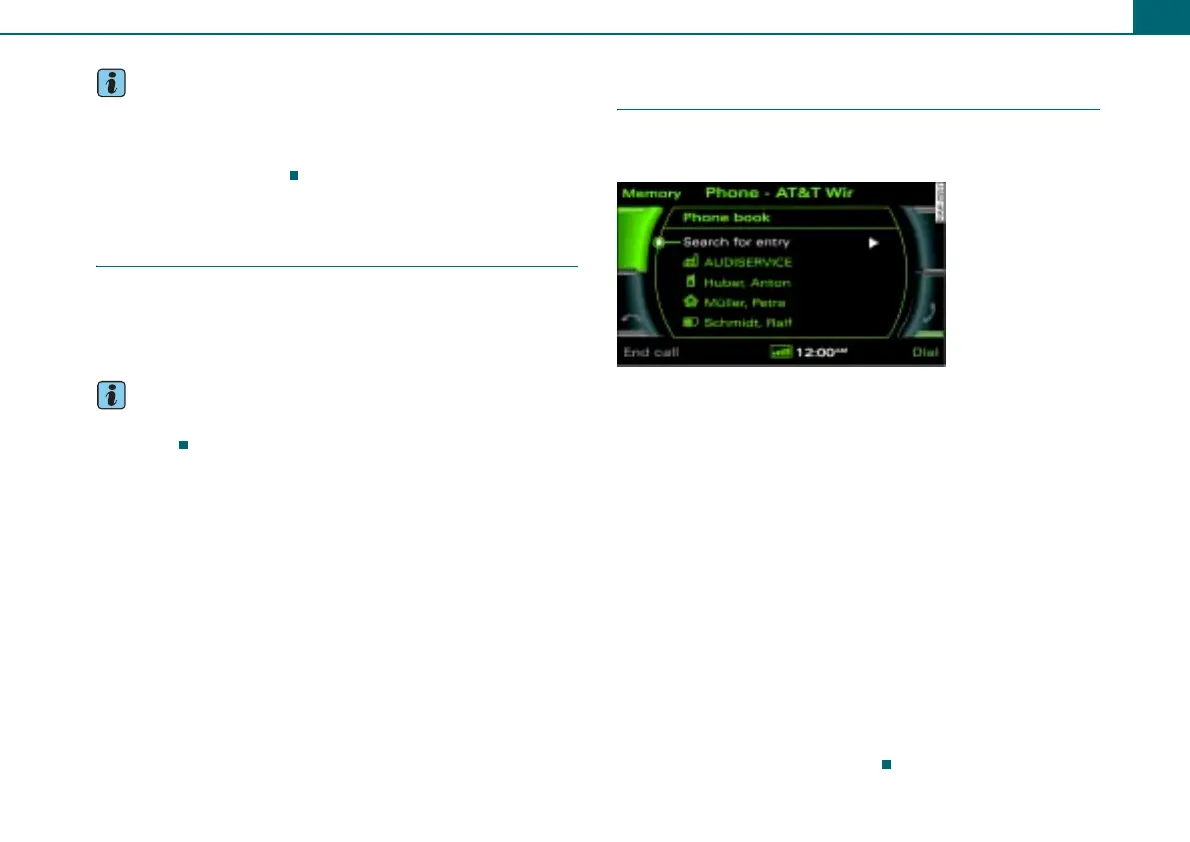
– Rotate the control knob to Phone book ⇒ fig. 56.
– Press the control knob. Search for entry appears in the
display and a listing of stored entries appears at the
same time.
– Rotate the control knob to Search for entry ⇒ fig. 56 and
press the control knob. The speller appears in the display
where you can enter names, or
– Rotate the control knob to a name from the list and press
the control knob.
– Confirm your entry by rotating the speller to OK and then
pressing it, or
– Press the control button Dial.
Fig. 56 Searching
stored telephone
numbers



 To Next Page