Playing media28
Playing media
Introduction
Your radio system also has a CD function that operates exactly like
a normal CD changer. An audio CD or MP3/WMA CD is inserted in
the CD changer ⇒ page 29. You can also play a SD/MMC memory
card with MP3/WMA files. You can choose individual tracks of a CD
or memory card, play the tracks in any order, or just listen to each
track for a few seconds.
General instructions for CD operation
Requirements for good sound quality
To ensure good, high-quality sound reproduction and to prevent
damage to the drives, please observe the following:
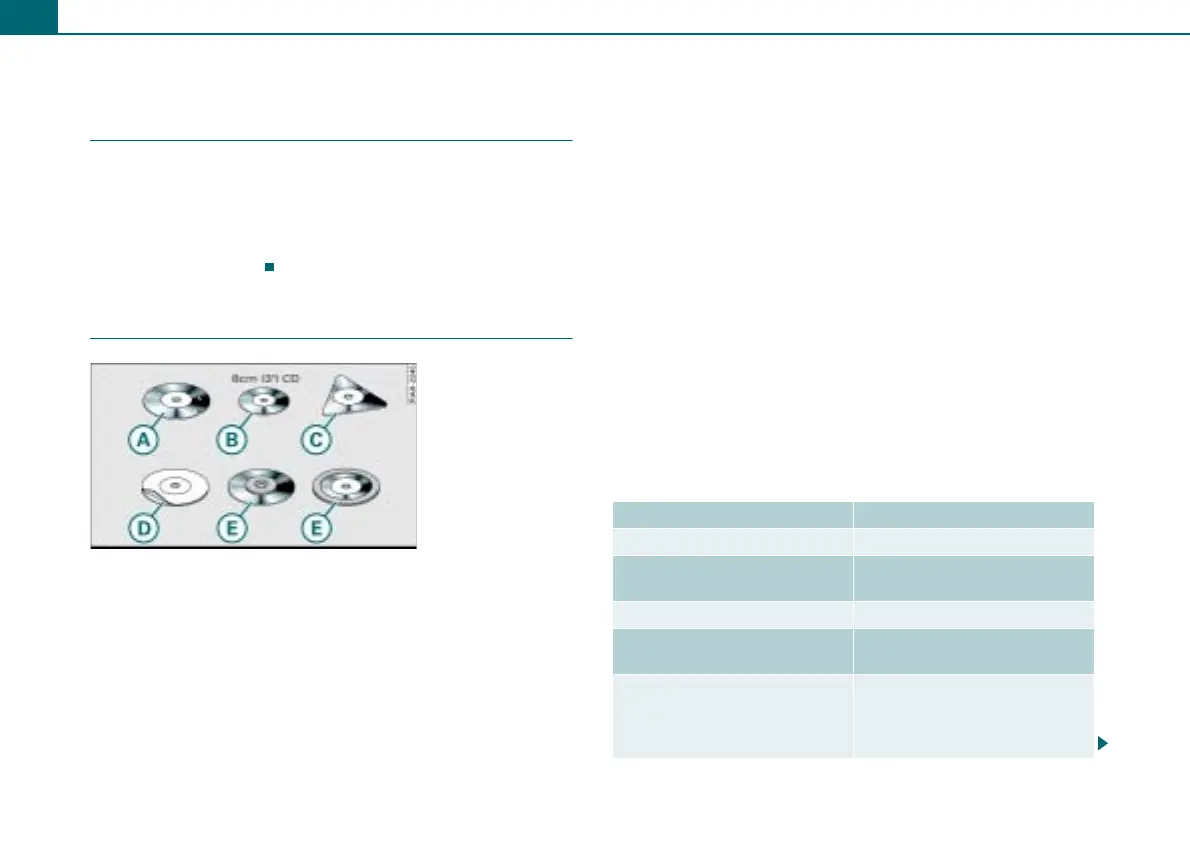
• Do not used damaged or scratched CDs .
• Do not use single CDs (8 cm / 3 inch diameter) .
• Do not use CDs of different shapes .
• Do not attach labels .
• Do not use protective rings .
• Do not use dirty CDs.
• Do not use a protective CD film or stabilizer.
• Always keep CDs in a protective sleeve and do not expose them
to direct sunlight.
Cleaning drives and CDs
Never use a cleaning CD to clean the drives.
Clean CDs with a soft, lint-free cloth. Wipe the CD in a straight line
from the center outward. Heavy soiling can be removed with a
commercial CD cleaner or isopropyl alcohol. Never use gasoline,
paint thinner, or record cleaner since they can damage the CDs.
Using laser equipment
Laser equipment is divided into safety classes 1 to 4 in accordance
with DIN IEC 76 (CO) 6/VDE 0837. The various types of audio equip-
ment installed meet safety class 1. The laser uses so little power or
is shielded so that there is no danger when used properly.
Read error display
A read error message in the display may be caused by the following:
Fig. 35 CDs that must
not be used
A
B
C
D
E
Problem Solution
CD is dirty. Clean the CD.
CD is scratched. Exchange the CD for a CD with-
out scratches.
CD was inserted upside down. Insert the CD label side up.
Condensation has formed on
the CD.
Wait until the CD is dry.
The mechanism for the drive is
malfunctioning.
Restart the radio system (reset
⇒ page 16), or contact an autho-
rized Audi dealership or autho-
rized facility.



 To Next Page