Listening to the radio 27
Tips
The stations that are displayed in the station list can be filtered
according to your personal desires as to type of program
⇒ page 27.
Applies to vehicles: with Satellite Digital Audio Radio Service
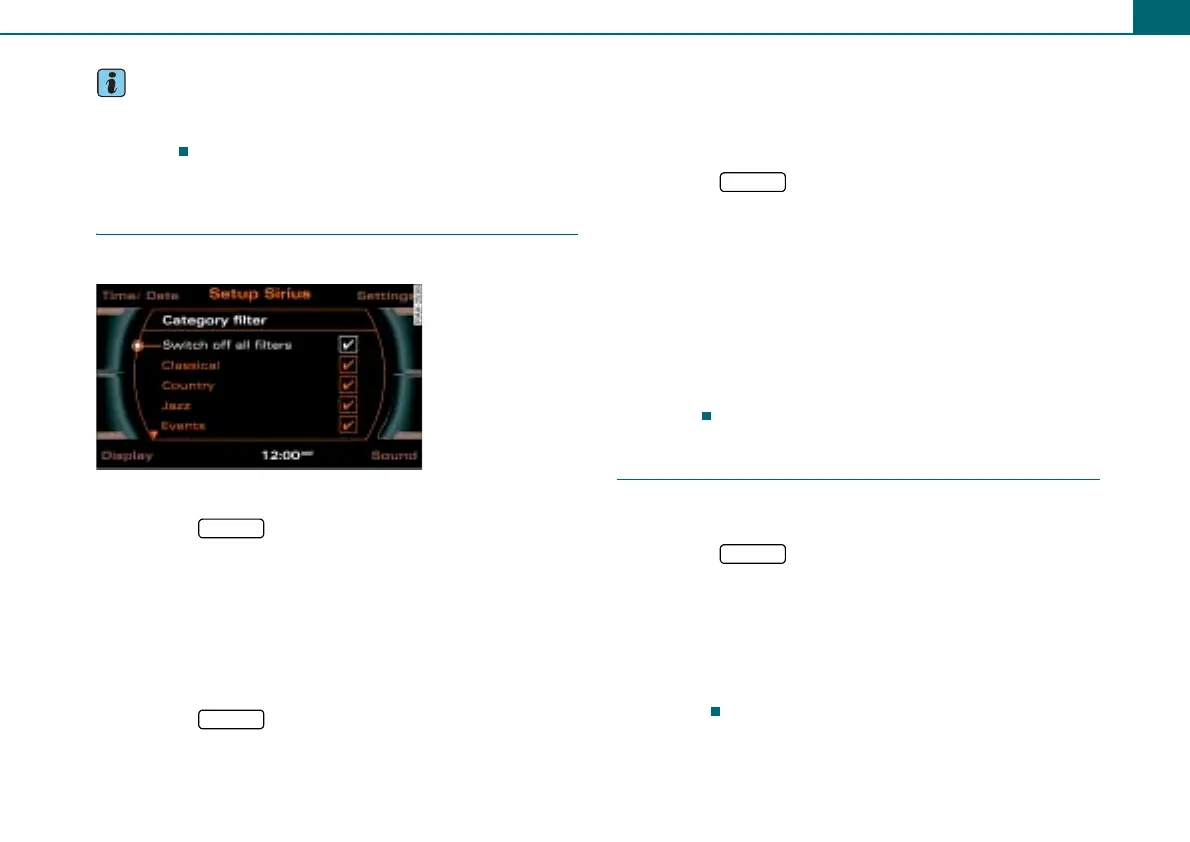
Category filter
You can preselect program categories.
Turning on filter option
– Press the function button in the satellite radio
menu.
– Select Category filter.
–Under Category filter select the desired filter option and
press the control knob. A check
' will appear after the
filter option.
Turning off individual filter options
– Press the function button in the satellite radio
menu.
– Select Category filter.
–Under Category filter select individual filter options that
are not to be active any longer and press the control
knob. The check
' after the filter option disappears.
Turning off all filters
– Press the function button in the satellite radio
menu.
– Select Switch off all filters and press the control knob so
that a check
' appears after Switch off all filters. The
checks
' will disappear after each filter option.
The stations that are displayed in the station list can be filtered
according to your personal desires as to type of program. The selec-
tion of program categories depends on what your provider offers.
If you select the option Switch off all filters, all filter options are
deactivated and all available channels are displayed in the satellite
station list.
Delete radio presets
The individual preset entries or all preset entries on the
preset list can be deleted.
– Press the function button in the satellite radio
menu.
– Select Delete radio presets ⇒ page 26, fig. 32.
– Select Single station and select the station to be deleted
in the preset list, or
– Select All stations. All stations on the preset list are
deleted.
Fig. 34 Setup Sirius:
Category filter
SETUP
SETUP
SETUP
SETUP



 To Next Page