Listening to the radio26
• Delete radio presets ⇒ page 27
The time/date, sound and settings functions and the brightness of
the display can be adjusted using the control buttons ⇒ page 8.
Tips
We recommend that you enter these settings when the vehicle is
stationary. Please note ⇒ page 6.
Applies to vehicles: with Satellite Digital Audio Radio Service
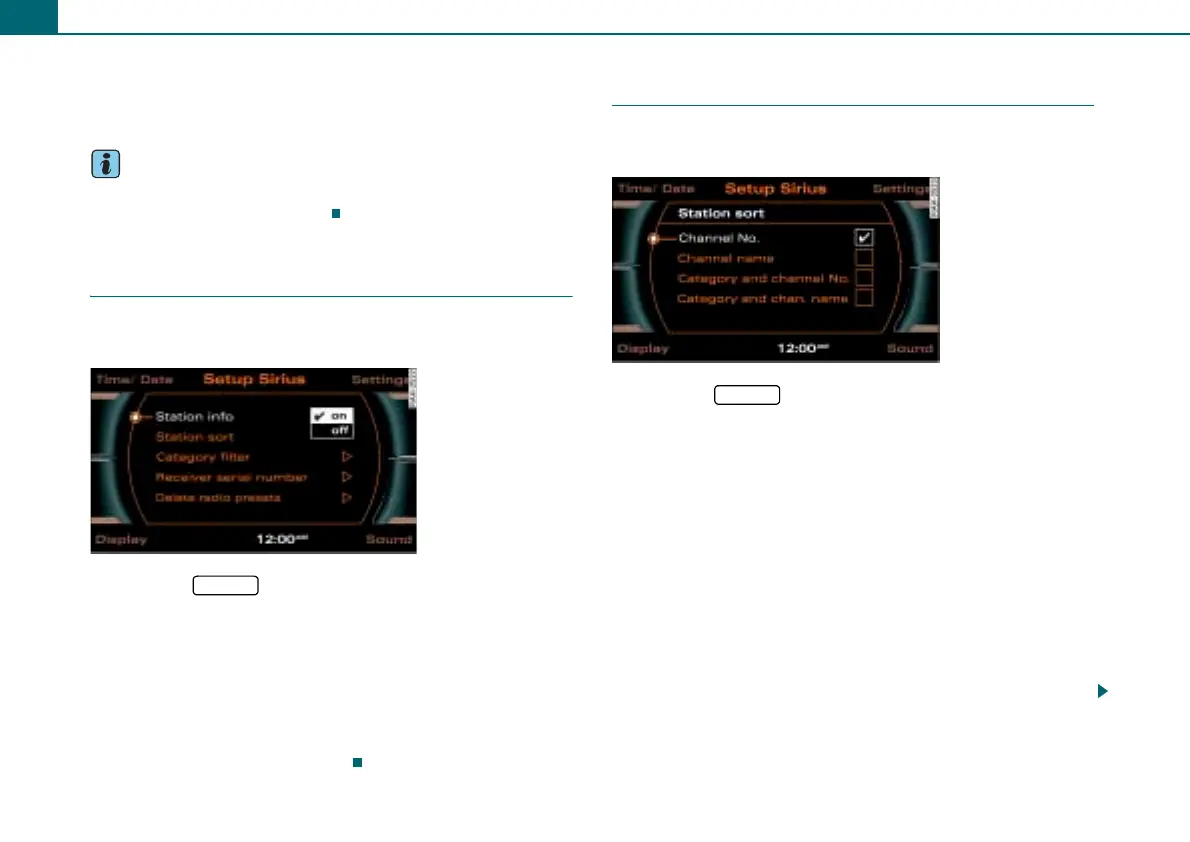
Station info
The two-part informational text in the display can be
switched on and off.
– Press the function button in the satellite radio
menu.
– Select Station info.
– Select on or off ⇒ fig. 32.
If you have switched on Station info, two-part information is
displayed in the satellite radio main menu. For example, the names
of the artist and song are displayed for a short time in a window that
opens separately ⇒ page 21, fig. 24.
Applies to vehicles: with Satellite Digital Audio Radio Service
Sorting stations
Stations can be sorted by Channel No., Channel name,
Category and Channel No. or Category and chan. name.
– Press the function button in the satellite radio
menu.
– Select Station sort.
– Select Channel No., Channel name, Category and channel
No. or Category and chan. name ⇒ fig. 33.
If you select “Station sort” Channel no., the stations are listed by
channel number in ascending order.
If you select “Station sort” Channel name, the station categories are
listed in the main menu in alphabetical order.
If you select “Station sort” Category and channel No., the stations
are listed by category and than by channel no.
If you select “Station sort” Category and chan. name, the stations
are listed by category and than by channel name.
Fig. 32 Setup Sirius:
Station info
SETUP
Fig. 33 Setup Sirius:
Station sort
SETUP



 To Next Page