Telephone voice operation58
General operation
Applies to vehicles: with Telephone voice operation
Switching on/off
Voice operation is activated using the talk button on the
multifunction steering wheel*.
Requirement: The ignition is on and you are not making a
phone call.
Activating
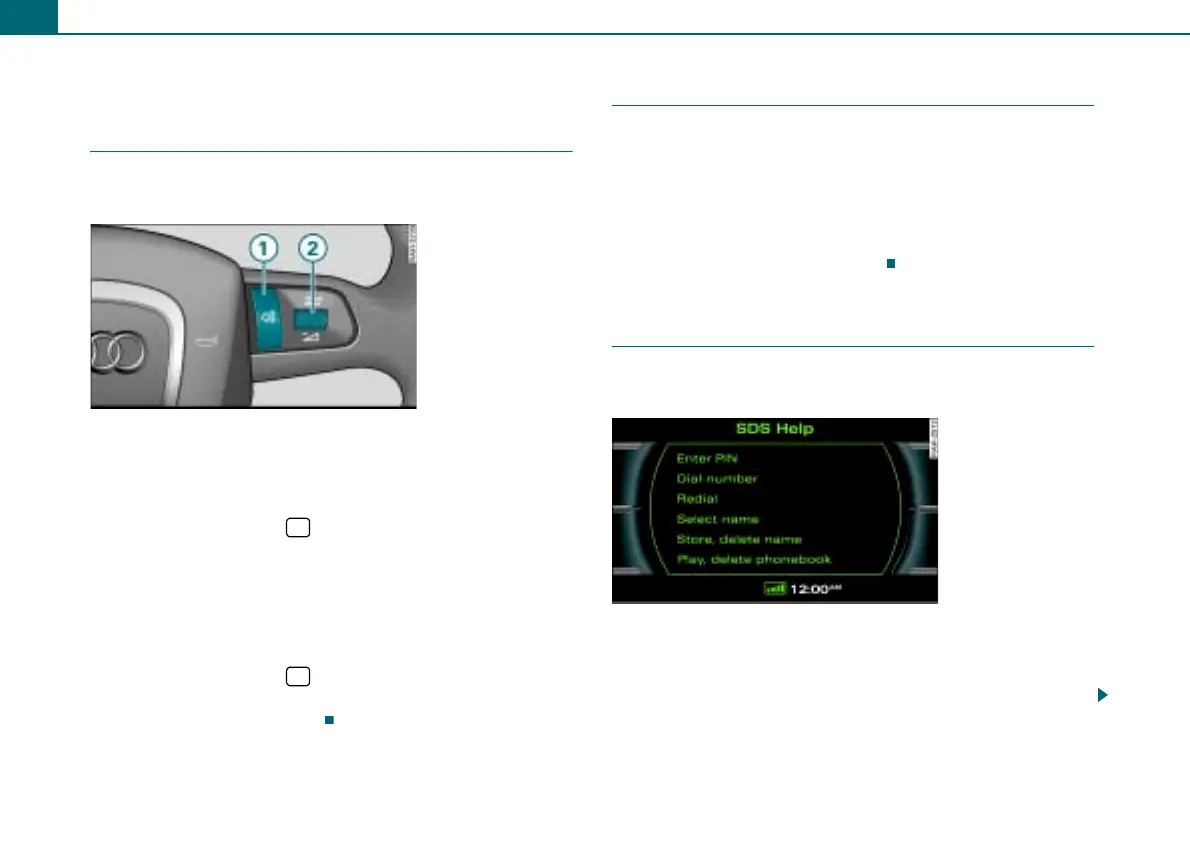
– Press the talk button on the multifunction steering
wheel ⇒ fig. 66.
– Say the desired command.
Deactivating
– Say the command CANCEL, or
– Press the talk button on the multifunction steering
wheel ⇒ fig. 66 and hold it until you hear the
announcement <Cancel>.
Applies to vehicles: with telephone voice operation
Adjusting the volume
Requirement: The telephone voice operation is switched on
⇒ page 58 and an announcement is made by the system.
– Roll the right thumbwheel of the multifunction steering
wheel ⇒ fig. 66 upward
"/downward #, or
– Rotate the On/Off knob on the radio system ⇒ page 12 to
increase/decrease the volume.
Applies to vehicles: with telephone voice operation
Help function
The telephone voice operation offers you two help func-
tions: help commands and system-guided help.
Help commands
When the telephone voice operation is on ⇒ page 58, you can say
the command HELP. Possible commands are shown in the display
⇒ fig. 67 and are read by the system.
Fig. 66 Multifunction
steering wheel: Talk
button and right thum-
bwheel
$
1
$
1
2
Fig. 67 Possible
commands



 To Next Page