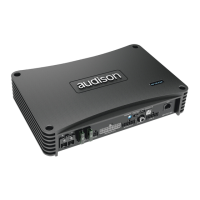
This section shows the settings related to the output levels of AP8.9 bit channels. The description of the points
shown in the figure is given below.
AP8.9 bit controls the system configuration, operating by default on
memory A but gives the option to store and recall two memories (A, B).
It is an information area that can be found at the bottom of the PC software window. It shows in real time the
working status of AP8.9 bit PC software.
Indicates the working status of AP8.9 bit PC software.
Indicates the setup file that has been possibly loaded via PC software to the AP8.9 bit.
Limiter:
When the LED is lit, that means the dynamic equalizer limiter is in operation see sec. 7.3.4.2.
De-eq: When the LED is lit, that means the de-equalization curve of the source is enabled
see sec. 7.3.4.3.
Mode:
indicates whether it is in Expert (EXP) or Standard (STD) mode see sec. 7.3.4.4.
1. Using one of the sliders for the output channels, you can adjust the output level (-40÷0 dB) for each channel. The
sliders are enabled based on the output configuration.
2. This part of the display shows the output level for each individual channel (-40÷0 dB), referring to the position of
the Slider for the output channels.
3. By clicking on the "Mute" button you can mute the corresponding output channels.
4. By clicking on the "Mute" button again, the mute function will be disabled.
5. By clicking on the "Link" button you can simultaneously adjust all of AP8.9 bit output levels. By clicking on the
"Link" button again, the function will be disabled.
6. By clicking on the "Solo" button you can mute the output channels except for the one enabled.
7. By manually clicking on the "Solo" button, the function will be disabled.
8. Using the "Volume" slider you can adjust the general output level for the system (-60÷0 dB).
9. Using the "Sub Volume" button you can adjust the output level of the subwoofer (-12÷0 dB), if the system
features a subwoofer.
7.3.13 OUTPUT LEVEL
7.3.14 MEMORY
13
14
15
7
3
3
2
2
1
1
4
4
5
5
7.3.15 STATUS BAR


 To Next Page