20
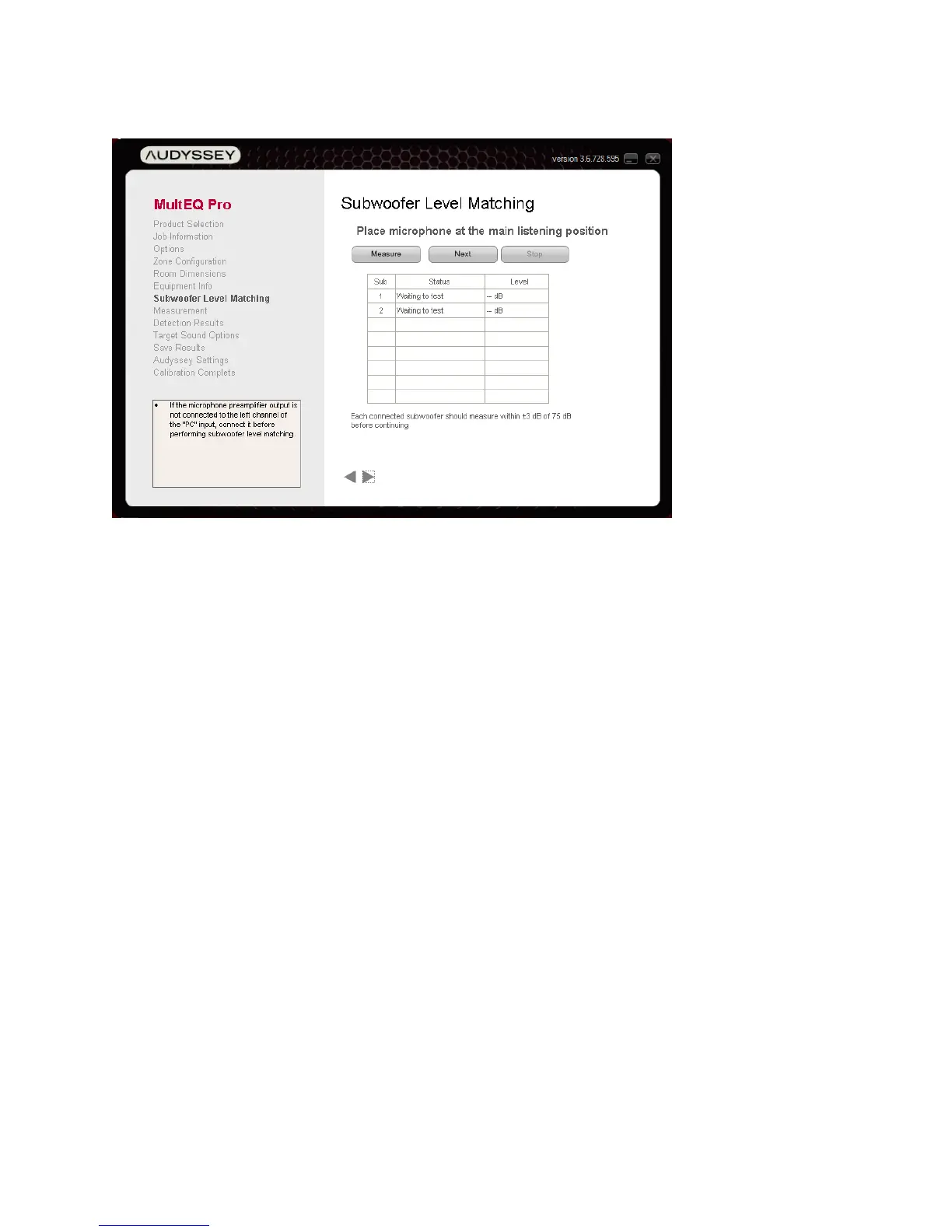
Subwoofer Level Matching
Some Audyssey Installer-Ready Products support a level-matching tool for setting subwoofer
levels. The Subwoofer Level Matching tool makes sure that trims are always within the available
range of the AVR or preamplifier.
1. Place the microphone at the main listening position with its tip pointed directly at the
ceiling. Connect the output (LINE OUT) of the microphone preamplifier to the microphone
input of the product being calibrated.
2. Click the “Measure” button to begin testing the level of the currently selected subwoofer.
A band-limited pink noise test signal will be produced by the subwoofer. The “Level” field will
remain blank for several seconds while data is acquired. Once a level is displayed, it may
take several more seconds to stabilize.
Note: Each Installer-Ready Product can support one of two different level measurement
methods supported by MultEQ Pro.
a. Continuous Average – If a Reset button is shown, the measurement is a
continuous time average. The level value will continue to stabilize as long as the
measurement is allowed to continue. The “Reset” button must be pressed after any
change to the subwoofer’s gain knob.
b. Moving Average – If no “Reset” button is shown, the measurement is a moving
average. After about 5 seconds, the Level will be valid, though it may continue to
fluctuate. In this case, every time the subwoofer’s gain knob is moved, wait 5
seconds for the level to stabilize again.



 To Next Page