5
Installing MultEQ Pro
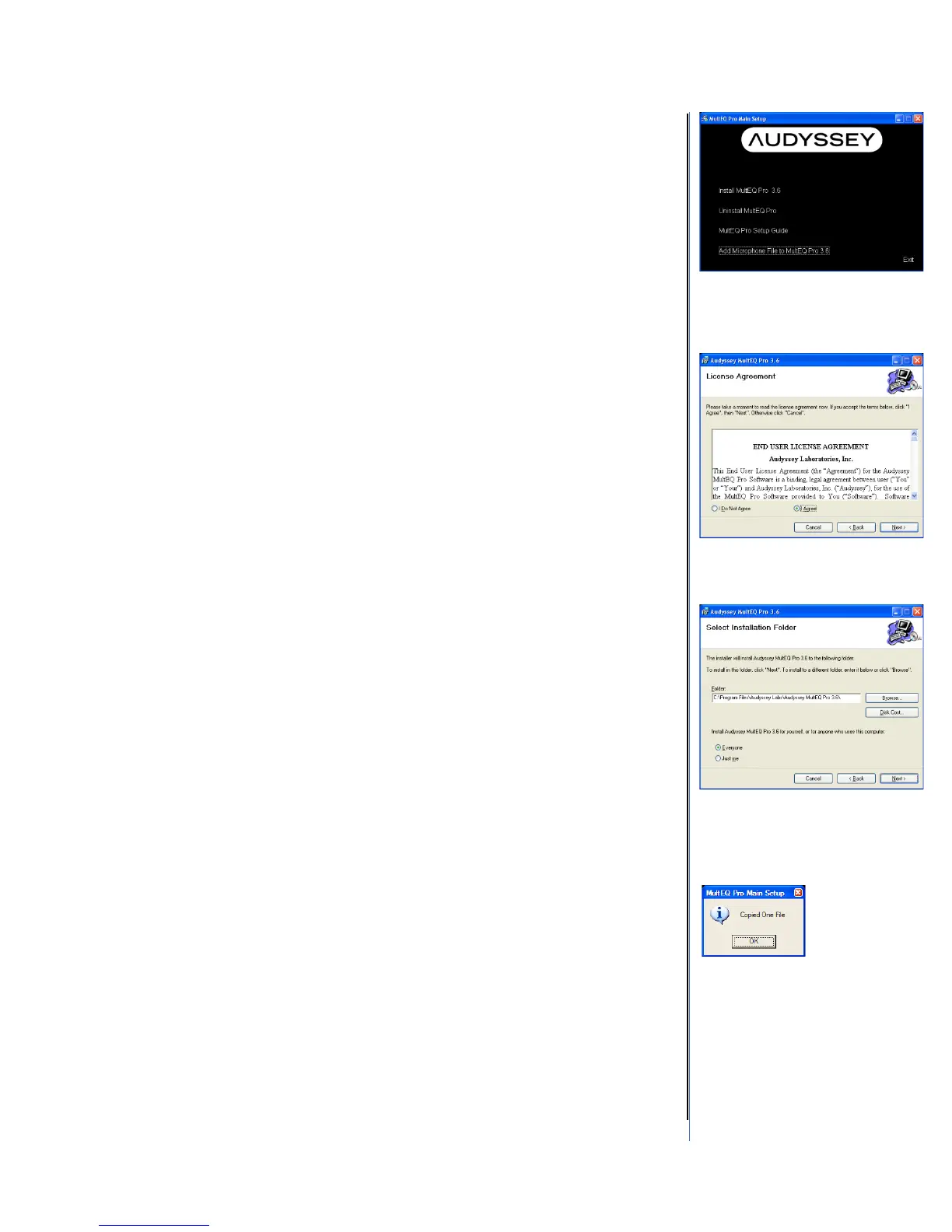
Click “Install MultEQ Pro” to begin the installation wizard (Figure 2). The
software installation program will guide you through the MultEQ Pro
application setup. The Audyssey End-User License Agreement (EULA)
must be accepted to continue with installation of the MultEQ Pro
application (Figure 3). Select the location where the application will be
installed (Figure 4).
Once the MultEQ Pro installation is complete, the software application
will appear in the “Audyssey Labs” folder on the Windows Start menu
Repeat the MultEQ Pro installation for each laptop to be used for
installations.
Uninstalling MultEQ Pro
A dialog with a progress bar will appear as the MultEQ Pro application is
uninstalled. The dialog will disappear once the uninstallation is complete.
Viewing the Setup Guide
An electronic version of the MultEQ Pro Setup Guide is available to view
at any time during the setup.
Adding a Microphone File to MultEQ Pro
If more than one installer kit has been purchased, it is highly
recommended the microphone calibration file from each of your MultEQ
Pro CDs be installed on each company laptop used for installation. This
allows measurement microphones to be shared and used with any
company laptop.
The “Copied One File” window will be displayed after each microphone
calibration file is successfully copied to the laptop (Figure 5).
It is important to have the matching microphone calibration file,
microphone and preamp. Each microphone and preamplifier set is
measured by Audyssey and the calibration file stored on the installation
CD of the installer kit.
Registered Installers may retrieve lost microphone calibration files
through the Audyssey Installer Website.
MultEQ Pro 3.6 & MultEQ Pro 4.0
MultEQ Pro 3.6 is necessary for all installer ready receivers made prior to
2014. MultEQ Pro 4.0 has been updated for use with all receivers made
in 2014 and later.
Figure 2 - Install MultEQ Pro
Figure 3 - Accept the EULA
Figure 4 - Select Installation
Folder
Figure 5 - Adding a Microphone
File



 To Next Page