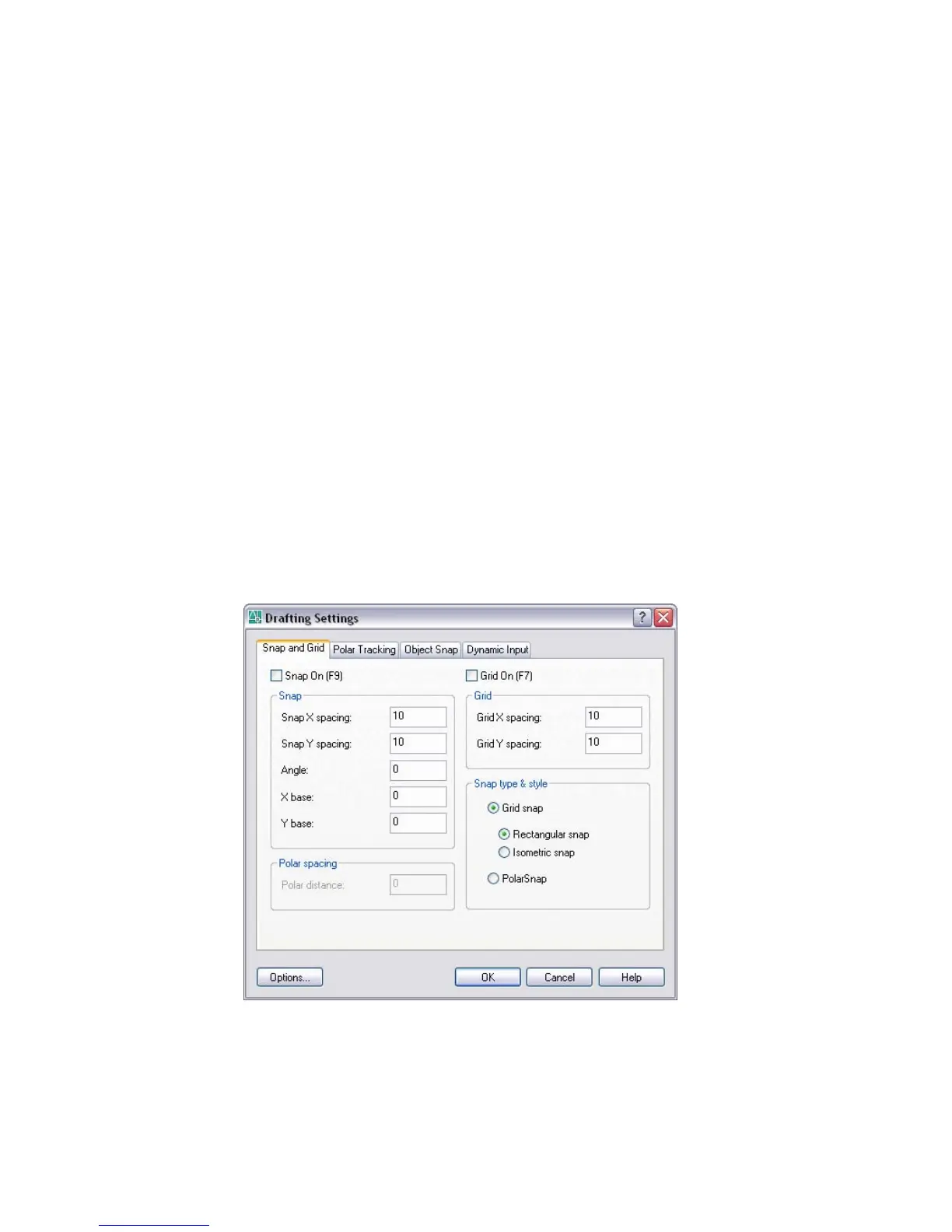
The Drafting Settings Dialog Box is displayed.
Drafting Settings Dialog Box
Tools menu: Drafting Settings
Shortcut menu: Right-click Snap, Grid, Polar, Osnap, Otrack, or Dyn on the
status bar and click Settings.
Command line: dsettings (or 'dsettings for transparent use)
Specifies drafting settings organized for drawing aids in four categories: Snap
and Grid Tab (Drafting Settings Dialog Box), Polar Tracking Tab (Drafting
Settings Dialog Box), Object Snap Tab (Drafting Settings Dialog Box), and
Dynamic Input Tab (Drafting Settings Dialog Box).
Options
Displays the Drafting tab in the Options Dialog Box. You cannot access the
Options dialog box from the Drafting Settings dialog box if you are running
DSETTINGS transparently.
Snap and Grid Tab (Drafting Settings Dialog Box)
Specifies Snap and Grid settings.
Drafting Settings Dialog Box | 389



 To Next Page