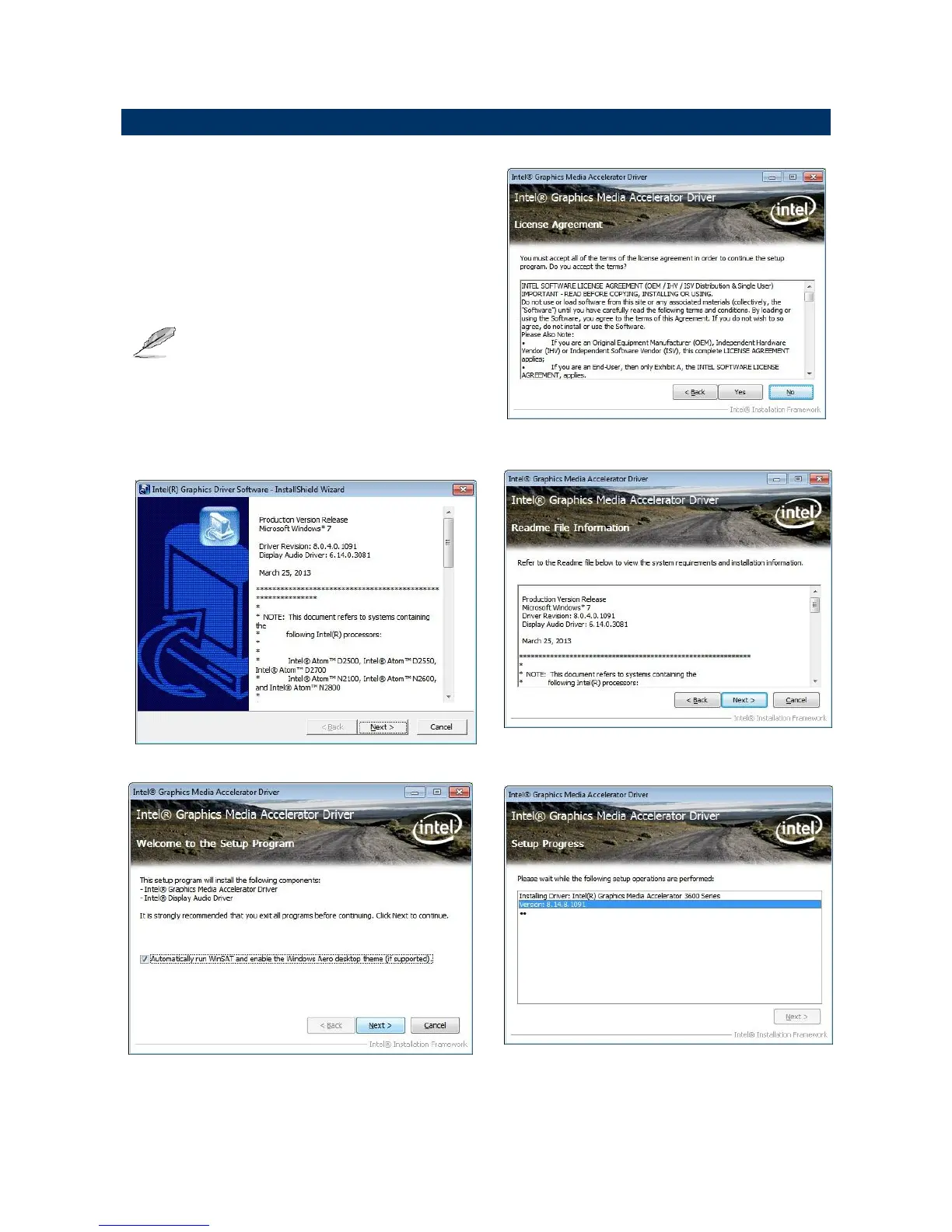
Insert the Supporting DVD-ROM to
DVD-ROM drive, click on “start” icon and it
should show the index page of Avalue’s
products automatically. If not, locate the
folder HTML and choose the product from the
targeted folder.
Note: The installation procedures and screen
shots in this section are based on
Windows 7 operating system.
Step 1. Locate
「\VGA\EMX-CDD_Video」.













 To Next Page