Installation of AVANIT SXHD
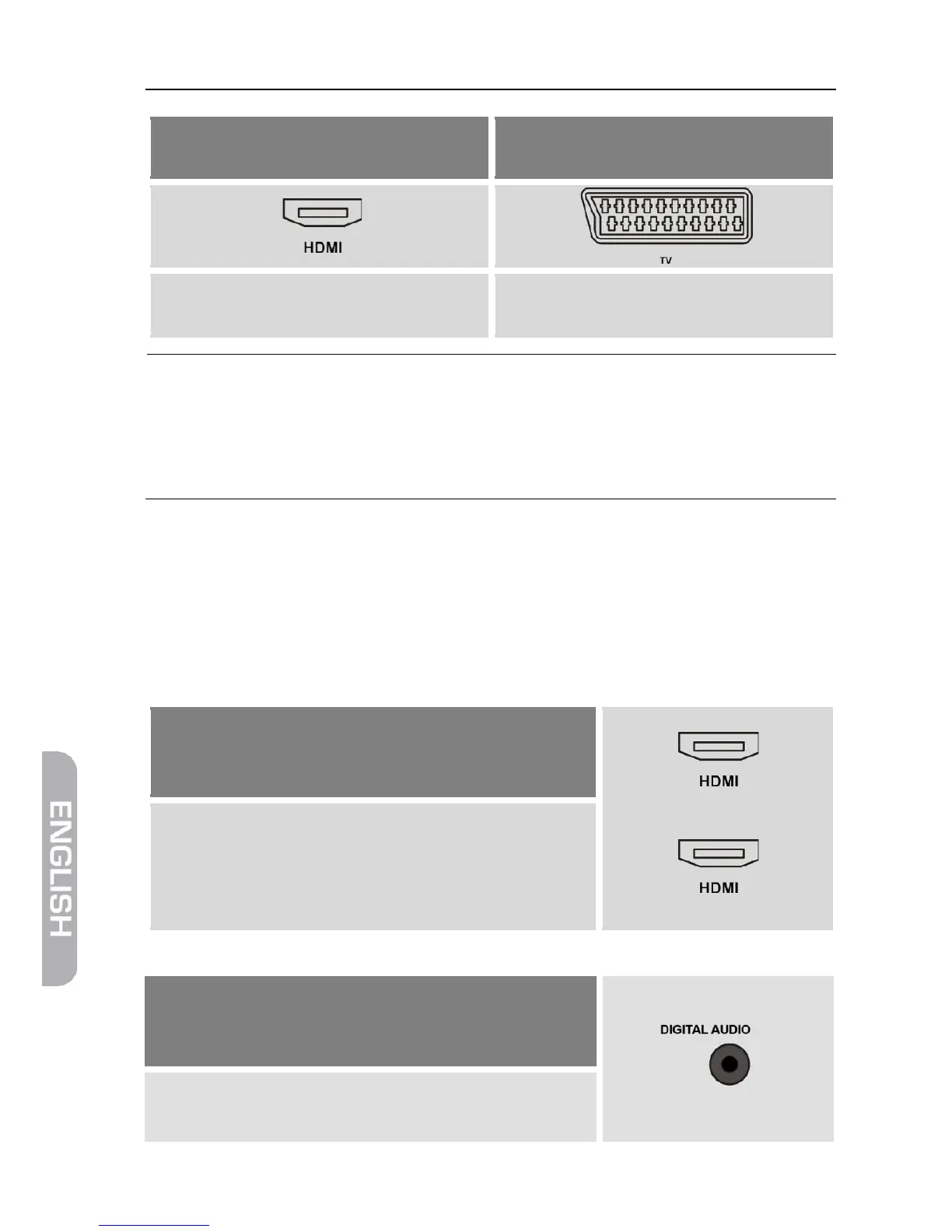
The TV set provides of an HDMI
The TV set does not provide of an
Connect TV set and receiver by using
an HDMI cable.
Connect TV set and receiver by using a
If your TV set offers both possibilities then always choose
connection via HDMI cable.
This ensures best possible audio and video quality with
digital signals.
4.4 Connect Home Cinema System (Optional)
To improve audio playback, you can connect to the AVANIT SXHD - additionally
to the TV set - also a multichannel home cinema system or a hi-fi system. There
are various possibilities for connection. Your type of connection depends on the
connection possibilities of your home cinema system.
a.
Your home cinema system is able to loop
through an HDMI signal, i.e. HDMI connection
for receiver and HDMI connection for TV set.
TV set
Connect the home cinema system and the
receiver by using an HDMI cable as well as
home cinema system and TV set by using an
HDMI cable.
b.
Your home cinema system can process digital
audio data – connection for digital data is pre-
sent.
Connect the home cinema system and the re-
ceiver by using a RCA cable.



 To Next Page