108 AVANIT SXHD
5.8.8 Aspect Mode
Press the V-MODE key several times to set the aspect ratio. Possible values:
Auto, 4:3PS, 4:3LB, 16:9LB (see table in section 6.3.1, page 121).
Setting of aspect ratio is also possible via the menu (see sec-
tion 6.3.1)
5.9 Program Information
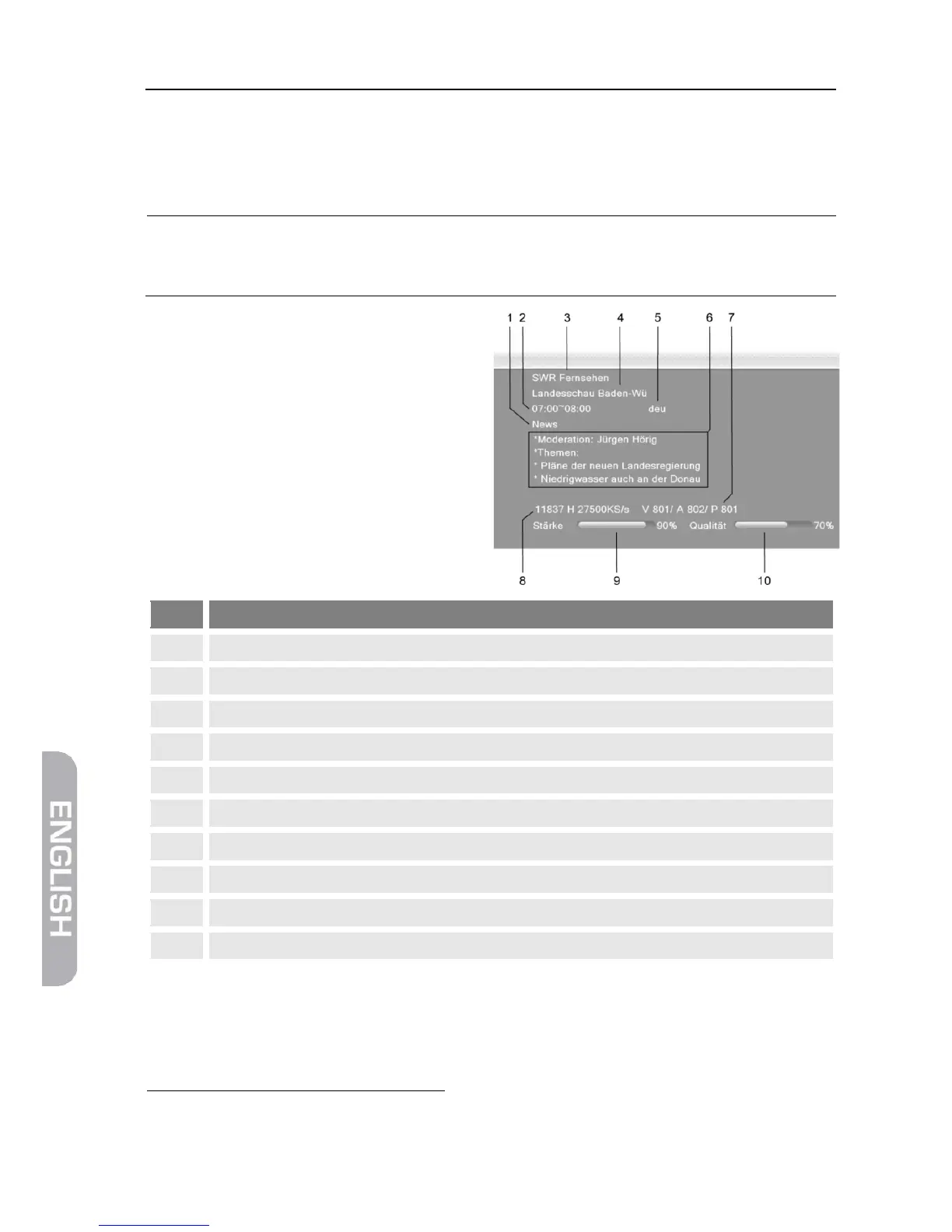
Press the INFO key twice. The
window on the right will be dis-
played:
Start time and end time of current program
Language of current program
Detailed information on current program
DVB PIDs for video, audio, PCR
Frequency, Polarization (H = horizontal, V = vertical), Symbol rate
25
PID = Packet IDentifier, each table or each elementary stream in a transport stream is identified by
a 13-bit PID. PCR = Program Clock Reference; required to enable the decoder to perform correct
presentation regarding time and speed.



 To Next Page