106 AVANIT SXHD
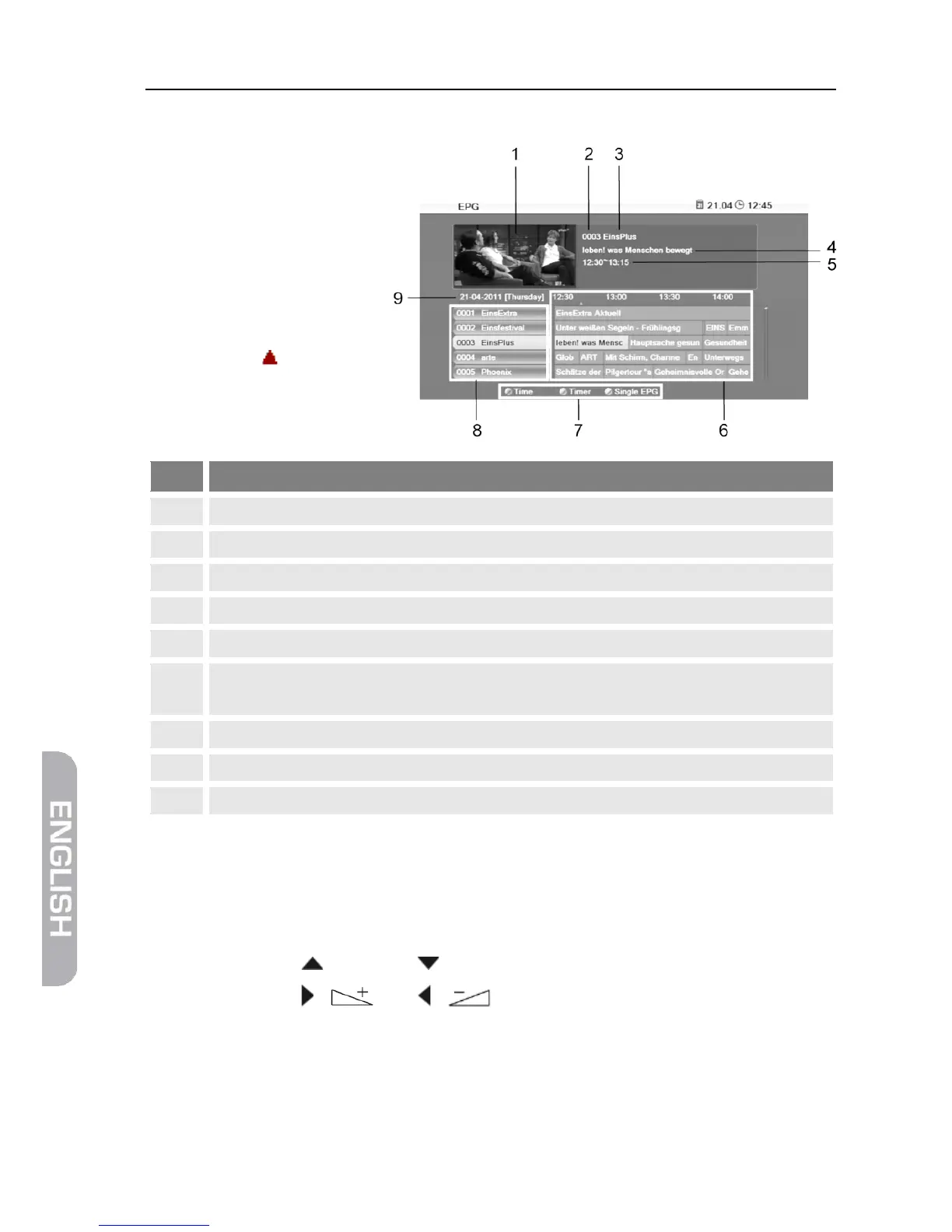
5.8.5.2 EPG
After pressing the blue
function key in the win-
dow Single EPG you will
access the window EPG
with the following dis-
play:
Thumbnail of selected channel.
Channel number of selected channel.
Name of selected channel.
Name of selected program.
Start time and end time of selected program.
Current and next program with a timeframe of approx. 1.5 hours for the marked
Illustration of the colored function keys and their functions.
All channels included in the current channel list.
Day to which the displayed data apply.
Press OK to open a window with detailed information on the selected pro-
gram.
Press the OK key, the red function key or the EXIT key to close such win-
dow.
Press the keys / PR+ and / PR- to flip through all available channels.
Press the keys / and / to page back and forward respectively
one program within a channel.



 To Next Page