Extended Settings and Functions
AVANIT SXHD 109
6 Extended Settings and Functions
6.1 Menu Edit Channel
6.1.1 TV Channel List / Radio Channel List
You can individually customize the lists. There are various available possibilities
for editing. For reasons of simplification, only editing of TV lists will be explained
in the following. Editing of radio channel lists will be performed corresponding
to editing of TV channel lists.
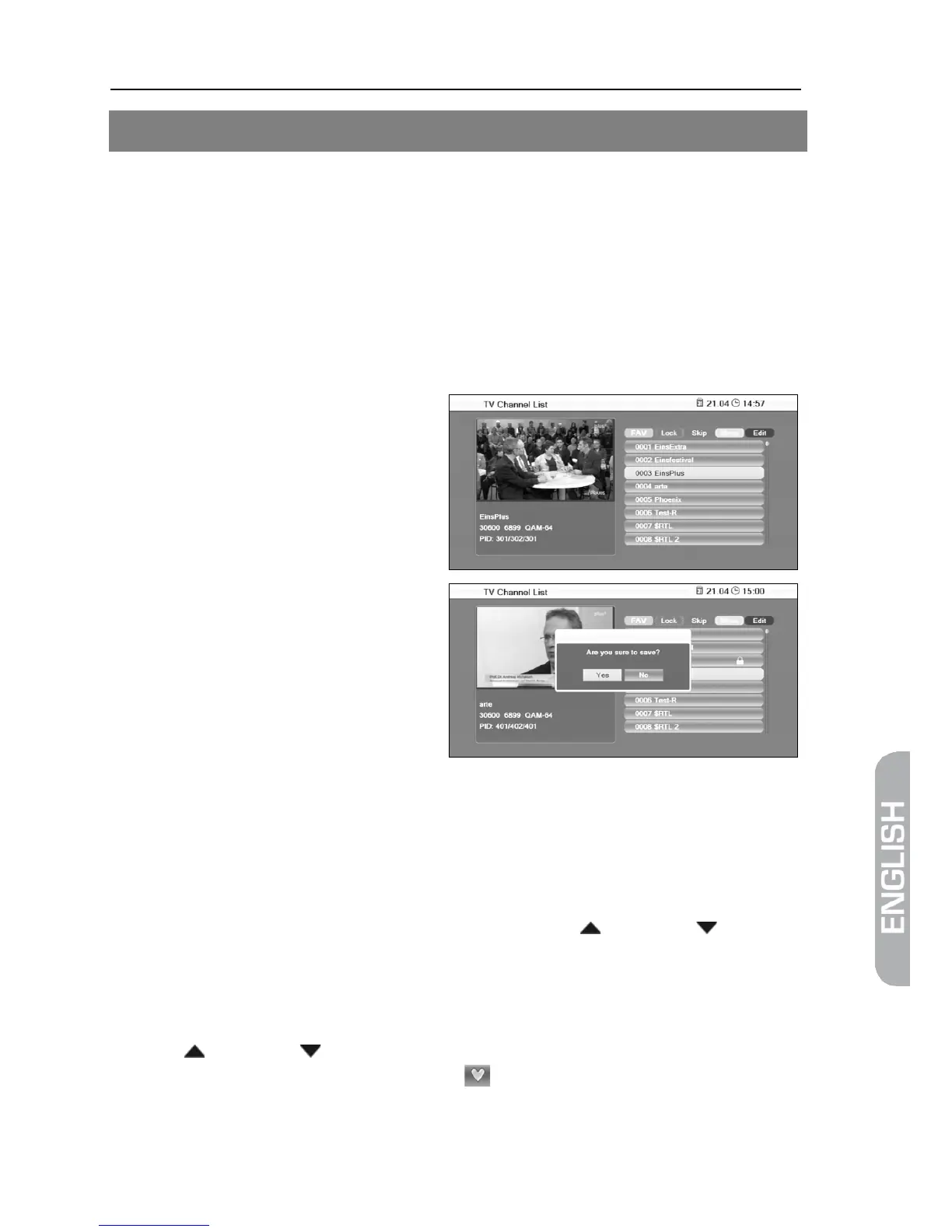
1. In the menu Edit Channel, go to
the sub-menu TV Channel List.
2. Press OK to open the window
TV Channel List.
With the editing processes de-
scribed in the following (7.1.1.1 to
7.1.1.7) you will be respectively
el menu (or when changing
the channel list or when selecting
another function) - if you want to
overwrite the factory-set channel program list, i.e. you may accept the per-
formed changes (OK - then the channel list will be correspondingly changed) or
discard them (No - then the original channel list will not be changed).
6.1.1.1 Add Channel to Favorites
1. Mark the corresponding channel by using the keys / PR+ and / PR-.
2. Press the key FAV and confirm by pressing OK.
A selection window with the eight available favorite lists will open.
3. Select the favorite list to which the channel is to be allocated by using the
keys / PR+ and / PR-, and confirm by pressing OK. The respective fa-
vorite list is correspondingly marked ( ).



 To Next Page