AVANIT SXHD 105
5.8.5.1 Single EPG
Press the SEPP key of the re-
mote control.
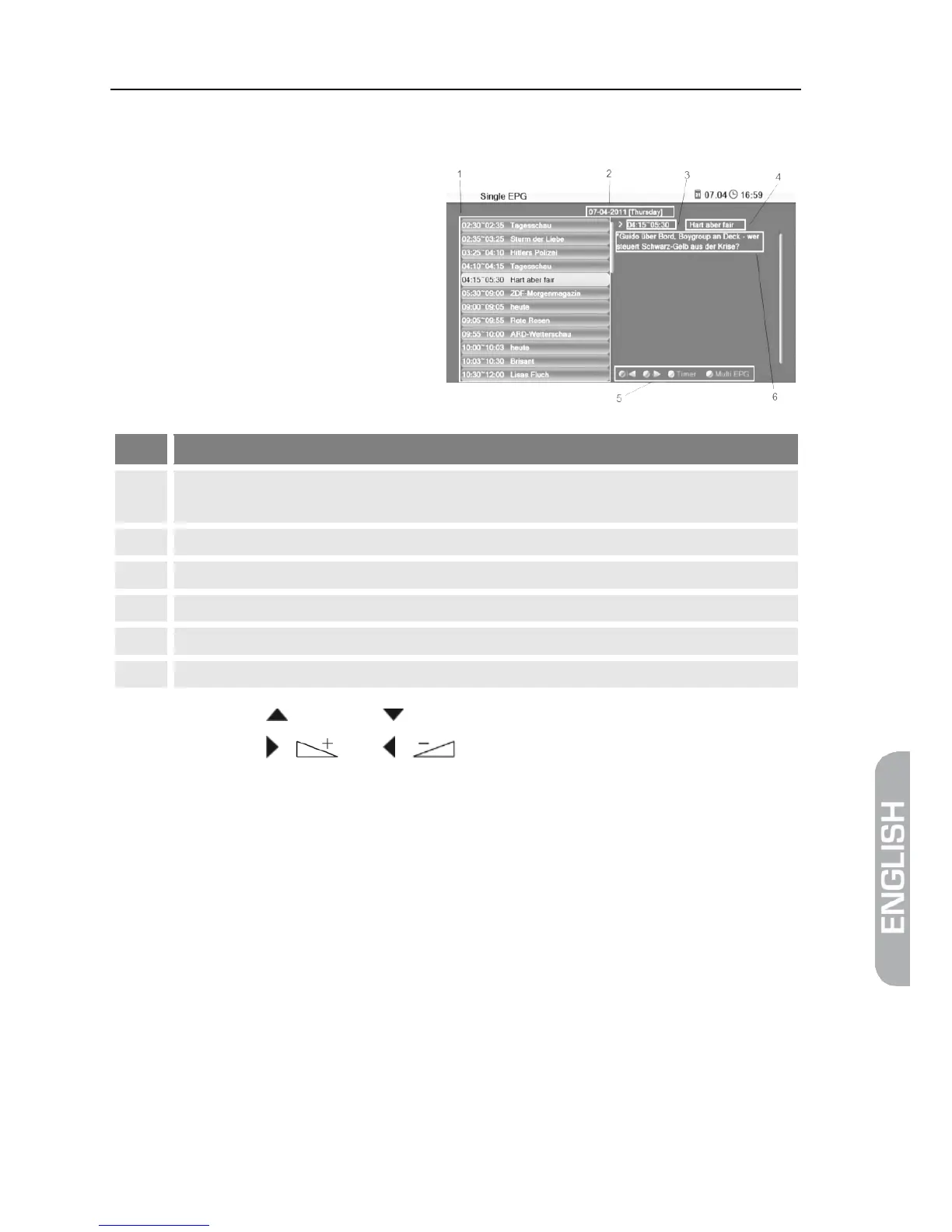
The window Single EPG
(information on one channel)
will open.
All programs during a day, with start and end time; the selected program is col-
Date of day to which display applies.
Duration of current program (start time ~ end time).
Illustration of the colored function keys and their functions.
Detailed information on the current program.
Press the keys / PR+ and / PR- to display a later or earlier program (1).
Press the keys / and / to page forward/back respectively one
day (2).
Press the green function key to scroll down in the information section (6).
Press the red function key to scroll up in the function area (6).
Press the blue function key to go to the window EPG.
Press the EXIT key to close the window Single EPG and return to TV opera-
tion.



 To Next Page